In the fast-paced world of app development, using powerful Backend-as-a-Service (BaaS) platforms like Supabase and Firebase is a game-changer for indie hackers, startups, and agile teams. It allows for rapid product launches and iteration. However, this velocity can introduce critical security vulnerabilities if not managed with care. Misconfigurations are common, yet they can lead to catastrophic data breaches that erode user trust and threaten your business.
Simple mistakes such as improperly configured Row Level Security (RLS), exposed API keys, or unprotected serverless functions can leave your entire infrastructure exposed. This article moves beyond generic advice and provides a comprehensive list of actionable cloud security tips specifically tailored for modern backends. We organised this guide to be a practical, no-fluff resource for developers and product leaders. Each tip offers concrete checks you can run, clear remediation steps, and a prioritised risk level to help you focus your efforts where they matter most.
We will also demonstrate how continuous security assurance tools like AuditYour.App can automate the detection and remediation of these common issues. By integrating these practices, your team can shift from a reactive, post-breach cleanup to a proactive security posture. This approach allows you to build and ship new features with confidence, knowing your cloud environment is secured from the ground up. Let's explore the essential strategies you need to fortify your defences.
1. Implement Row Level Security (RLS) for Database Access Control
Row Level Security (RLS) is a powerful database feature that acts as a gatekeeper for your data, restricting access on a row-by-row basis. Instead of granting broad table-level permissions, RLS policies evaluate every query against specific rules, ensuring users only see the data they are explicitly authorised to access. This is a non-negotiable security measure for any multi-tenant application, where separating customer data is paramount.
This granular control prevents accidental data leaks and protects sensitive information. For instance, in a healthcare app built on Supabase, an RLS policy can ensure a doctor can only view the medical records of patients assigned to them, even if all records are stored in the same patients table. Without RLS, a simple misconfiguration could expose all patient data.
Why It's a Top Cloud Security Tip
Without RLS, your application's data integrity relies entirely on your client-side or middleware code to filter data correctly. This is a fragile approach. A single bug or a cleverly crafted API request could bypass these filters, leading to a catastrophic data breach. RLS enforces security at the database level, creating a much stronger and more reliable defence.
Key Insight: Think of RLS as a security guard inside your database. It checks every single request for data and only allows authorised rows to pass through, regardless of how the request was made.
Actionable Steps and Checks
- Audit Your Tables: Start by identifying which tables contain user-specific or sensitive data. Do all tables that should be protected have RLS enabled?
- Default to Denial: Always begin with a "deny all" policy on your tables. Then, create specific
USINGpolicies to selectively grant read (SELECT) or write (INSERT,UPDATE,DELETE) access based on user roles or IDs. - Test Your Policies: Use a variety of user roles and edge cases to test your RLS rules. A tool like AuditYour.App can automate this process by running RLS fuzzing tests, which actively try to find and prove data leakage vulnerabilities before you deploy.
- Review Query Performance: While essential for security, complex RLS policies can impact query speed. Monitor performance and optimise your policies and database indexes accordingly. For a deeper dive into crafting effective rules, review this comprehensive Supabase RLS guide.
2. Secure API Keys and Secrets Management
API keys and secrets are the digital credentials that grant your applications access to backend services like databases, payment gateways, and third-party APIs. Treating them like passwords is a foundational principle of cloud security. Hardcoding these secrets directly into your frontend code, mobile app bundles, or committing them to version control is a critical vulnerability that leaves your infrastructure wide open to attack.
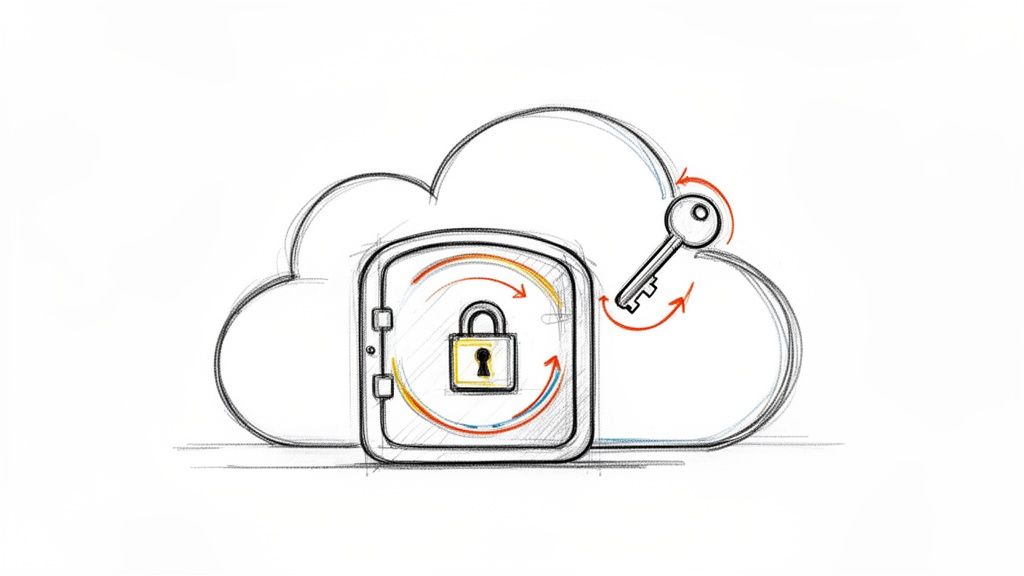
Proper secrets management involves storing these credentials in secure, controlled environments. For instance, a Supabase project should use its public anon key on the frontend, while the powerful service_role key must only ever be used in a trusted backend environment. Leaked credentials give attackers direct, authenticated access to your services, allowing them to steal user data, escalate privileges, or run up huge bills on your cloud account.
Why It's a Top Cloud Security Tip
Exposing an API key is equivalent to posting your house keys on the internet. Automated bots and malicious actors constantly scan public code repositories like GitHub for accidentally committed secrets. Once found, they can be exploited within minutes. Relying on private repositories for security is not enough; a single leak or misconfiguration is all it takes for a devastating breach. A robust secrets management strategy is your primary defence against unauthorised access.
Key Insight: Your code is public, even in a private repository. Always assume that anything committed to version control can be discovered. Secrets must be managed completely separately from your codebase.
Actionable Steps and Checks
- Never Commit Secrets: The most crucial rule is to never commit API keys, passwords, or other credentials to version control. Use a
.gitignorefile to explicitly exclude configuration files like.envfrom being tracked. - Use Environment-Specific Keys: Create separate, unique API keys for your development, staging, and production environments. This limits the blast radius if one key is ever compromised.
- Scan Your Codebase: Regularly scan your code repositories and mobile app bundles for hardcoded secrets. A tool like AuditYour.App can automate this by performing deep scans to detect leaked API keys before they are deployed into the wild.
- Implement Key Rotation: Don't let keys live forever. Implement a policy to rotate (replace) your secrets regularly, such as quarterly or even monthly for highly sensitive services.
- Employ a Secrets Manager: For more complex projects, use a dedicated service like AWS Secrets Manager, HashiCorp Vault, or GitHub Secrets in your CI/CD pipeline to inject credentials securely at build time. For a deeper look into this topic, explore this guide on securing API keys in mobile apps.
3. Enforce Strong Authentication and Multi-Factor Authentication (MFA)
Authentication is your application's front door and the first line of defence against unauthorised access. Strong authentication involves more than just a password; it includes enforcing complexity rules, securely hashing stored credentials, and implementing account lockout mechanisms. Multi-Factor Authentication (MFA) elevates this protection by requiring users to prove their identity through at least two different methods, such as something they know (password) and something they have (a phone code).

This layered approach significantly reduces the risk of account takeovers, even if a user's password is stolen or compromised. For instance, Supabase Auth offers straightforward integrations for phone or email One-Time Passcodes (OTP), while Firebase Authentication makes it simple to add Google Sign-In with its built-in MFA. Implementing these measures turns a single point of failure into a robust, multi-layered security checkpoint.
Why It's a Top Cloud Security Tip
Relying solely on passwords is a high-risk strategy in today's threat landscape. Passwords can be phished, guessed, or exposed in third-party data breaches. MFA acts as a critical failsafe, ensuring that a compromised password alone is not enough to grant an attacker access to a user's account and data. For any application handling sensitive information or administrative privileges, MFA is an essential security control, not an optional extra.
Key Insight: Think of MFA as requiring two different keys to unlock a door. Even if an attacker steals one key (the password), they are still locked out because they don't have the second key (the user's phone or authenticator app).
Actionable Steps and Checks
- Prioritise Privileged Accounts: Start by enforcing MFA for all admin, developer, and other high-privilege accounts immediately. These are the most valuable targets for attackers.
- Offer Flexible MFA Options: Provide users with choices like authenticator apps (TOTP), email OTPs, or hardware keys. Authenticator apps are generally more secure than SMS-based codes, which are vulnerable to SIM-swapping attacks.
- Implement Secure Session Management: Configure reasonable session timeouts, forcing users to re-authenticate after a period of inactivity. For highly sensitive operations, require re-authentication every time.
- Scan Authentication Flows: Use AuditYour.App to automatically check for common authentication weaknesses. The platform can detect missing MFA enforcement, weak password policies, and insecure session configurations, giving you a clear path to remediation.
- Monitor Login Attempts: Actively monitor for high rates of failed login attempts from single IP addresses or for specific user accounts. This can be an early indicator of a brute-force or credential-stuffing attack.
4. Protect Against Public or Unprotected API Endpoints and RPCs
Backend API endpoints and Remote Procedure Calls (RPCs) are the functional heart of your application, but they can also be a direct gateway for attackers if left unsecured. Exposing functions without proper authentication or authorisation checks allows malicious actors to access, modify, or delete sensitive data and execute privileged operations. This is a critical vulnerability for any backend, including Supabase Functions and Firebase Cloud Functions.
Proper protection means every request to a non-public endpoint must be rigorously validated. For instance, a Supabase RPC function designed to fetch user-specific orders must first verify the user's authentication token (JWT) and then use the user's ID from that token to filter the database query. Simply trusting an ID passed in the request body is a recipe for disaster, as an attacker could easily substitute it to access another user's data.
Why It's a Top Cloud Security Tip
Unprotected endpoints are a direct, often simple, path to a catastrophic breach. Unlike a database vulnerability that might require a complex query to exploit, an open API can be as easy as calling a URL. Attackers actively scan for such endpoints, especially those with predictable names like /admin or /api/v1/users. Failing to secure these functions essentially leaves your application's logic and data wide open to anyone who finds them.
Key Insight: Treat every API endpoint and serverless function as a potential front door to your application. Each one must have its own security guard that validates credentials and checks permissions before letting any request through.
Actionable Steps and Checks
- Enforce Authentication: Review every function and endpoint. Do they all require an authentication token (e.g., a JWT) in the request header? The only exceptions should be for genuinely public resources, like a login or password reset function.
- Implement Authorisation: Beyond just being logged in, does the user have the right to perform the requested action? Implement role-based access control (RBAC) to ensure that, for example, only users with an
adminrole can access administrative functions. - Validate Tokens Rigorously: On every request, verify the authenticity and expiry of the authentication token. Use the claims within the validated token (like
user_idorrole) as the source of truth for your authorisation logic. - Automate Endpoint Scanning: Manually checking every endpoint is error-prone. A tool like AuditYour.App can automatically scan your Supabase RPCs and Firebase Cloud Functions, testing them with unauthenticated and unauthorised requests to find and prove which ones are dangerously exposed.
5. Implement Proper Database Connection Security
Database connections are the lifelines to your data, and if left unsecured, they become a primary attack vector. Proper database connection security involves encrypting data in transit and strictly managing who can establish a connection. Using SSL/TLS encryption for all database connections is fundamental, preventing eavesdropping and man-in-the-middle attacks where an attacker could intercept sensitive data as it travels between your application and the database.
This foundational layer of security ensures that even if network traffic is compromised, the data remains unreadable. For example, a mobile app should never connect directly to a Supabase PostgreSQL instance from the client side. Instead, it should communicate through a secure backend API that manages a protected connection pool, ensuring the database's connection string is never exposed on the user's device.
Why It's a Top Cloud Security Tip
Exposing your database connection string in frontend code or client-side applications is equivalent to leaving the keys to your entire dataset in a public place. A malicious actor could easily decompile an app, find the credentials, and gain direct, unrestricted access to your database. This bypasses all application-level security, including even robust Row Level Security policies, leading to catastrophic data theft or destruction. Securing the connection point itself is a non-negotiable step in a defence-in-depth strategy.
Key Insight: Treat your database connection string as the master key to your digital kingdom. It should be stored securely in backend environment variables and never, ever be visible or accessible from the client side.
Actionable Steps and Checks
- Enforce SSL/TLS: Check your database configuration (e.g., in Supabase's project settings) to ensure that connections are required to use SSL/TLS. Reject any non-encrypted connection attempts.
- Secure Credential Storage: Store your full database connection string exclusively in backend environment variables. Never hard-code it into your application source code or include it in client-side configuration files.
- Use Connection Pooling: Implement a connection pooler like PgBouncer. This not only improves performance but also centralises connection management, providing a single, secure point of entry to the database from your backend services.
- Automate Security Scans: Use a tool like AuditYour.App to scan your codebase for exposed secrets and credentials. Its automated checks can detect leaked connection strings in your repository before they are deployed, preventing a major security incident.
- Create Application-Specific Roles: Avoid using the master
postgresrole for your application. Create dedicated database roles with the minimum necessary privileges for each microservice or application component.
6. Validate and Sanitize All User Input
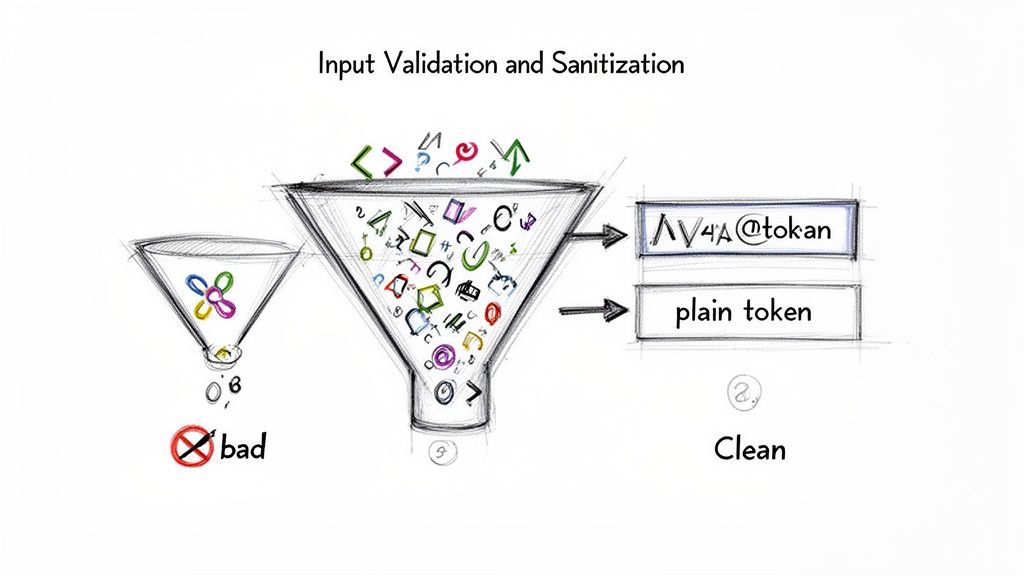
User-submitted data is the primary gateway for attackers to compromise your system. Every piece of input, whether from a user form, an API call, or an external service, must be treated as potentially hostile. Validating and sanitising this data is a foundational cloud security practice that defends against common attacks like SQL injection and Cross-Site Scripting (XSS).
Validation ensures data conforms to expected formats (e.g., an email address has an "@" symbol), while sanitisation neutralises or removes malicious elements (e.g., stripping <script> tags). This two-step process should be enforced rigorously on the server-side, as client-side checks can be easily bypassed. For instance, a mobile app might prevent a user from entering a task title longer than 50 characters, but the backend must enforce this rule again to block a manipulated API request.
Why It's a Top Cloud Security Tip
Relying solely on frontend validation is like leaving your house keys under the doormat. A determined attacker can bypass it with trivial effort using tools to directly manipulate API requests. Without robust server-side validation, malicious payloads can be sent directly to your database or rendered in other users' browsers, leading to data theft, account takeovers, or system-wide compromise. This makes backend input validation an non-negotiable layer of defence.
Key Insight: Treat all user input as untrusted. Your backend should be the ultimate authority that verifies and cleans every piece of data before it is processed or stored, regardless of where it came from.
Actionable Steps and Checks
- Enforce Backend Validation: Review all your API endpoints and serverless functions. Does every function that accepts input perform its own validation checks? Never trust that the frontend has already done the job.
- Use Parameterised Queries: For all database interactions, especially in Supabase, use parameterised queries or prepared statements. This is the single most effective way to prevent SQL injection, as it separates the SQL command from the user data.
- Implement Allowlists: Instead of trying to block known bad inputs (blacklisting), define exactly what is allowed (allowlisting). For example, a username field should only permit alphanumeric characters and underscores.
- Sanitise for Output: Before rendering any user-generated content back to a user, sanitise it for the context it will be displayed in. Use established libraries like DOMPurify to prevent XSS vulnerabilities.
- Log and Monitor Failures: Set up logging to record every time an input validation check fails. This can help you identify and analyse attempts to attack your application.
7. Enable Comprehensive Logging and Monitoring
Effective security logging and monitoring are the digital equivalent of a building's CCTV and alarm system. They provide crucial visibility into application behaviour, user actions, and potential threats by systematically recording events. These logs should capture everything from authentication attempts and data access patterns to administrative configuration changes and system errors. Without this, you are effectively flying blind, unable to detect, investigate, or respond to security incidents.
This proactive oversight is essential for spotting anomalies before they escalate into full-blown breaches. For instance, a Supabase project can be configured to log all Row Level Security policy evaluations, while a Firebase backend can use Cloud Logging to capture every function invocation. This data trail is invaluable for forensic analysis and understanding the timeline of an attack.
Why It's a Top Cloud Security Tip
Without a comprehensive logging strategy, identifying the root cause of a security breach is nearly impossible. You won't know which accounts were compromised, what data was accessed, or how the attacker gained entry. This not only hinders your ability to recover but also damages user trust and can lead to severe non-compliance penalties under regulations like GDPR. Active monitoring transforms passive logs into an active defence mechanism, alerting you to suspicious activity in real time.
Key Insight: Think of logging as your application's black box recorder. It tells you exactly what happened, when, and by whom, which is indispensable for incident response and a non-negotiable part of modern cloud security tips.
Actionable Steps and Checks
- Activate Platform Logging: Ensure native logging is enabled in your cloud platform. In Supabase, this involves checking the
log_statementsettings in your PostgreSQL configuration. For Firebase, verify that Cloud Logging is active for services like Cloud Functions and Firestore. - Log Critical Events: Your logs must capture key security events. This includes both successful and failed authentication attempts, data modification actions (create, update, delete) with associated user IDs, and any changes to permissions or security settings.
- Implement Structured Logging: Use a structured format like JSON for your logs. This makes them machine-readable, allowing for easier filtering, searching, and analysis in tools like Splunk, Datadog, or the ELK Stack.
- Configure Real-Time Alerts: Don’t just collect logs; act on them. Set up automated alerts for high-risk events, such as a sudden spike in failed login attempts from a single IP address, mass data deletions, or unauthorised API calls.
- Review and Retain: Establish a clear log retention policy (e.g., 90-180 days) to meet compliance needs. Schedule regular, manual reviews of logs to hunt for suspicious patterns that automated alerts might miss.
8. Dependency Management and Regular Security Testing
Modern applications are built on the shoulders of giants, relying heavily on third-party libraries, frameworks, and system dependencies. While these components accelerate development, they also introduce potential security vulnerabilities. A single outdated library can act as a backdoor for attackers, making diligent dependency management and continuous security testing crucial cloud security tips.
This involves a two-pronged approach. Firstly, systematically tracking and updating all external code your project uses. Secondly, proactively searching for weaknesses in your own code and infrastructure through automated scans and manual tests. For platforms like Supabase and Firebase, this means looking beyond generic vulnerabilities and focusing on platform-specific risks like misconfigured RLS policies or exposed cloud functions.
Why It's a Top Cloud Security Tip
Relying on outdated dependencies is like leaving your front door unlocked. Attackers actively scan for applications using libraries with known Common Vulnerabilities and Exposures (CVEs). Without a proactive process for patching and testing, your application is a low-effort target. Continuous testing moves security from a one-time event to an integral part of your development lifecycle, catching flaws before they reach production.
Key Insight: Security isn't a feature you add at the end; it's a continuous process. Every new line of code and every updated dependency is a potential entry point that needs to be managed and validated.
Actionable Steps and Checks
- Automate Dependency Scanning: Integrate tools like GitHub’s Dependabot, Snyk, or
npm auditdirectly into your CI/CD pipeline. Configure these tools to automatically create pull requests for security patches. - Implement CI/CD Security Gates: Configure your pipeline to fail builds if dependencies with critical or high-severity vulnerabilities are detected. This prevents known exploits from ever being deployed.
- Schedule Regular Scans: Don't just scan on new code. Regularly run automated security testing (AST) tools against your entire application. A tool like AuditYour.App can perform weekly, automated scans tailored to your Supabase project, specifically testing for RLS data leaks and other platform-specific misconfigurations.
- Conduct Penetration Tests: For critical applications, schedule quarterly or biannual penetration tests with security professionals. This provides a deep, manual analysis that automated tools might miss, simulating a real-world attack.
9. Use Environment-Based Configuration and Deployment Security
Managing distinct configurations for development, staging, and production environments is a foundational practice for secure software delivery. This approach ensures that secrets, API endpoints, and feature flags are isolated, preventing development mistakes from impacting live users. It establishes a controlled pipeline where code is reviewed, tested, and validated before it ever reaches your production environment.
This separation is crucial. For instance, a mobile app developer might use a local Supabase instance for development, a dedicated staging project for QA testing, and a final, locked-down project for the production release. Each environment uses its own database, API keys, and third-party service credentials, creating a strong barrier that significantly reduces the risk of accidental data corruption or exposure. This is a core tenet of modern DevOps and one of the most effective cloud security tips you can implement.
Why It's a Top Cloud Security Tip
Without strict environment separation, you risk catastrophic errors. Using production API keys in a development environment could lead to test data polluting your live database or, worse, an accidental data wipe. A developer testing a new feature could inadvertently expose sensitive user data if their local machine is connected to the production backend. Isolating environments creates a blast wall, ensuring that failures or vulnerabilities in one stage do not cascade into another.
Key Insight: Treat each environment as a completely separate, isolated system. Your development environment should never have the ability to talk to your production database, and your production keys should never exist on a developer's laptop.
Actionable Steps and Checks
- Create Separate Projects: For platforms like Firebase or Supabase, create entirely separate projects for
dev,staging, andproduction. Never use the same project for different environments. - Manage Secrets Securely: Use your cloud provider's secret manager or your CI/CD platform's built-in secret storage (like GitHub Actions secrets). Your application code should pull these secrets at runtime based on the current environment.
- Implement Gated Deployments: Enforce a policy where code must be reviewed and pass all automated tests in a staging environment before it can be deployed to production. This prevents buggy or insecure code from going live.
- Automate Configuration Scans: Before deployment, use a tool like AuditYour.App to scan your environment configurations. It can detect misconfigurations, such as hardcoded secrets or overly permissive API settings, ensuring your infrastructure is secure before it is deployed.
10. Implement Proper Access Control and Least Privilege Principle
The Principle of Least Privilege (PoLP) is a foundational concept in cybersecurity, dictating that any user, program, or process should have only the bare minimum permissions necessary to perform its function. Instead of granting broad, default access, you assign granular, purpose-driven roles. This approach is a cornerstone of a robust cloud security posture, drastically limiting the potential damage from a compromised account or application.
Proper access control means moving beyond a simple user vs admin binary. It involves creating a spectrum of roles, each with a specific, limited set of permissions. For example, a content moderator on your platform might be able to delete user-generated comments but should never have access to billing information or the ability to alter database schemas. This granular control is essential for protecting your system's integrity and user data.
Why It's a Top Cloud Security Tip
Without enforcing the Principle of Least Privilege, a single security breach can quickly escalate into a catastrophic event. If a low-level service account with excessive permissions is compromised, an attacker could gain administrative access to your entire backend. This "privilege creep", where accounts accumulate more permissions than they need over time, creates a massive and unnecessary attack surface. PoLP contains the blast radius of any security incident.
Key Insight: Treat permissions like keys to your house. You wouldn't give your dog walker a key to your safe. Similarly, an API token used for reading public data should never be granted write access to your user table.
Actionable Steps and Checks
- Define and Map Roles: Clearly document every user and system role in your application (e.g.,
user,moderator,support_agent,admin). Map out the absolute minimum data and actions each role requires to function. - Use Scoped Service Keys: When using service accounts, like Supabase's
service_rolekey, ensure they are used only in secure backend environments. For client-side or third-party interactions, generate and use specifically scoped, lower-privilege API keys. - Conduct Regular Audits: Schedule quarterly reviews of all user and service account permissions. Do any accounts have permissions they no longer need? Remove or downgrade them immediately. AuditYour.App can help by scanning your configuration and flagging overly permissive roles.
- Enforce with Backend Rules: Don't rely on the client-side to enforce permissions. Use server-side mechanisms like RLS in Supabase or security rules in Firebase to ensure access control is non-negotiable. For a deeper look at this, our guide on Firebase security rules offers practical examples.
- Log All Access Changes: Maintain a clear audit trail of any changes to user permissions. This is crucial for forensic analysis if a breach occurs and helps you track who granted what access, and when.
Top 10 Cloud Security Controls Comparison
| Security Measure | Implementation Complexity 🔄 | Resource Requirements & Efficiency ⚡ | Key Advantages ⭐ | Expected Outcomes / Ideal Use Cases 📊 | Quick Tips 💡 | |---|---|---|---|---|---| | Implement Row Level Security (RLS) for Database Access Control | Medium–High — requires DB policy design and testing | Moderate — low infra, possible query overhead if policies complex | Enforces DB-side access control; prevents lateral data access | Multi-tenant apps, sensitive PII datasets, compliance (GDPR) | Start deny-by-default; test policies across roles; monitor performance | | Secure API Keys and Secrets Management | Medium — vault integration and CI/CD changes | Moderate — secret vault infrastructure and rotation workflows | Eliminates hardcoded secrets; enables rotation and auditing | Mobile/web apps, CI/CD pipelines, public bundles | Never commit keys; rotate regularly; scan bundles and binaries | | Enforce Strong Authentication and Multi-Factor Authentication (MFA) | Medium — auth flows, recovery, and UX considerations | Moderate — modest infra, user support overhead | Greatly reduces account takeover risk; aids compliance | User-facing apps, admin/privileged accounts, high-value accounts | Enforce MFA for admins first; prefer TOTP over SMS; offer recovery options | | Protect Against Public or Unprotected API Endpoints and RPCs | Medium–High — per-endpoint auth and RBAC implementation | Moderate — per-request checks can add latency; rate limiting needed | Prevents unauthorized function access and business-logic abuse | APIs, cloud functions, admin endpoints, integrations | Require tokens, validate them, implement RBAC and rate limits | | Implement Proper Database Connection Security | Low–Medium — TLS, credential handling, and pooling setup | Low — small TLS latency; certificate and credential management | Protects data in transit; prevents direct DB exposure | Backend services, proxies, enterprise networks | Always use SSL/TLS, store connection strings in env vars, rotate creds | | Validate and Sanitize All User Input | Medium — validation across frontend and backend layers | Moderate — negligible runtime cost if optimized | Prevents SQLi/XSS and other injection attacks; improves data quality | Any app accepting user input: forms, APIs, file uploads | Validate on backend, use parameterized queries, apply allowlists | | Enable Comprehensive Logging and Monitoring | Medium — log pipelines, alerting, and retention policies | High — storage, processing, and tool costs | Early breach detection; forensic evidence and compliance support | Production systems, compliance-driven environments, incident response | Avoid logging PII/secrets, use structured logs, set retention and alerts | | Dependency Management and Regular Security Testing | Medium–High — tooling, CI integration, and testing cadence | Moderate — CI runtime and possible pen-test costs | Reduces exposure window for known vulns; catches supply-chain risks | Projects using third‑party libs, frequent releases, CI/CD pipelines | Enable automated scans, use Dependabot/Snyk, prioritize critical patches | | Use Environment-Based Configuration and Deployment Security | Medium — IaC, staged pipelines, and env separation | Moderate — extra deployment gates and tooling | Prevents cross-environment leaks; makes deployments reproducible | Multi-environment projects (dev/staging/prod), IaC-managed infra | Never use prod secrets in dev, require code review and automated checks | | Implement Proper Access Control and Least Privilege Principle | Medium — role design, enforcement, and audits | Low–Moderate — runtime permission checks and audit tooling | Limits blast radius; improves accountability and compliance | Multi-team platforms, admin panels, service accounts | Define clear roles, grant minimal perms, audit and remove inactive accounts |
Moving Forward: Embedding Security into Your Development Culture
We have navigated through ten critical cloud security tips, from the foundational necessity of Row Level Security in Supabase to the universal importance of managing your API keys and secrets. Each recommendation, whether focused on Firebase's authentication rules or the broader principles of input sanitisation and least privilege, serves as a vital layer in the defence of your application. The journey from an insecure default configuration to a hardened, resilient backend is not a single leap but a series of deliberate, well-informed steps.
The core message threading through these tips is clear: security is not a final-stage feature or a post-launch clean-up task. It is a fundamental pillar of quality engineering that must be woven into the fabric of your development process from the very beginning. Ignoring database access controls, leaving API endpoints unprotected, or failing to monitor logs are not just minor oversights; they are invitations for data breaches that can erode user trust and cripple a growing business.
From Checklist to Culture: Making Security a Habit
The true challenge is transforming this knowledge into a sustainable practice. How do you move from a one-time security audit to a state of continuous assurance? The answer lies in shifting your team's mindset and leveraging automation to make security the path of least resistance.
- Prioritise Proactive Defence: Don't wait for a vulnerability to be exploited. Actively seek out weaknesses by regularly reviewing your database policies, authentication methods, and dependency lists. Make security a standing topic in your project planning and sprint retrospectives.
- Automate Everything Possible: Manual checks are prone to human error and are difficult to scale. Integrating automated security scanning into your Continuous Integration and Continuous Deployment (CI/CD) pipelines ensures that every code commit is scrutinised. This makes security a consistent, reliable part of your workflow, not an afterthought.
- Empower Your Team: Security is a shared responsibility. Equip your developers, whether they are indie hackers or part of a larger team, with the knowledge and tools they need to write secure code. When security checks provide clear, actionable feedback, they become a learning opportunity, not a roadblock.
Adopting these powerful cloud security tips is the first step towards building a more robust and trustworthy application. By implementing strong RLS policies, enforcing MFA, and diligently managing your secrets, you are creating a formidable defence against common threats. The ultimate goal, however, is to cultivate an environment where these practices are second nature, an ingrained part of your engineering culture.
This cultural shift from reactive patching to proactive hardening is what separates good applications from great, resilient ones. It builds confidence not only in your users but also within your own team, allowing you to innovate and ship features rapidly, secure in the knowledge that you have built on a solid foundation. Your commitment to security is a direct reflection of your commitment to your users and the long-term success of your product.
Ready to move beyond manual checklists and embed security directly into your workflow? AuditYour.App automates the detection of these vulnerabilities and more for your Supabase and Firebase projects, providing actionable remediation steps right in your CI/CD pipeline. Start your free scan today and transform your security posture at AuditYour.App.
Scan your app for this vulnerability
AuditYourApp automatically detects security misconfigurations in Supabase and Firebase projects. Get actionable remediation in minutes.
Run Free Scan