
Security vulnerability testing is all about proactively finding, classifying, and fixing the weak spots in your software and systems. It’s no longer a 'nice-to-have'—it's an absolute must for protecting your apps from attackers, especially on modern platforms like Supabase and Firebase where developers have much more direct control over the security setup.
Why Modern App Security Requires a New Approach
Welcome to a real-world playbook for security vulnerability testing, built for today's fast-paced development cycles. If you're building on powerful platforms like Supabase and Firebase, you already know the responsibility for security now sits squarely on your shoulders. This guide isn't about abstract theory; it's a practical, hands-on process to lock down your applications.
The entire process boils down to a clear flow: you identify the threats, find the actual flaws, and then automate your security checks so they become second nature.
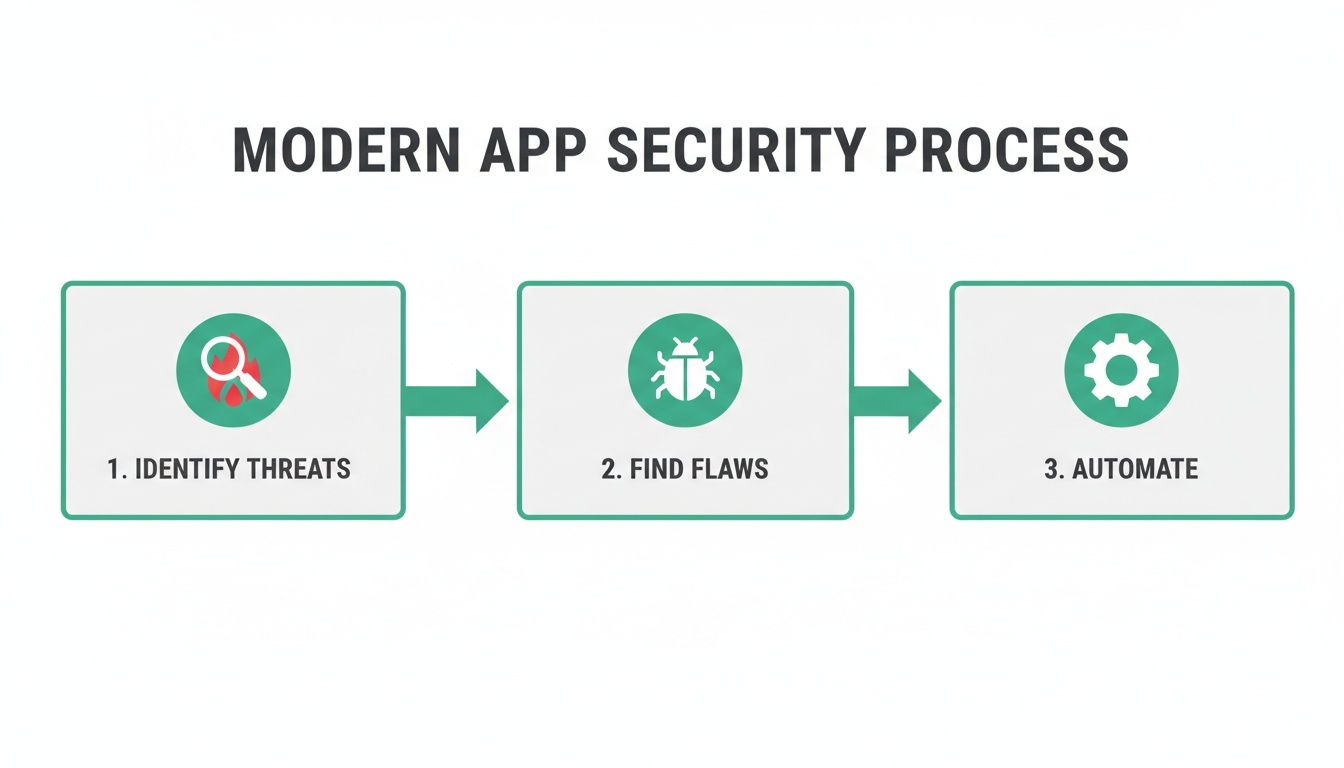
This flowchart really drives home the idea that security isn't a one-off task. It's a continuous cycle that should be deeply integrated into how you build software.
We're going to walk through everything, from identifying your core threats to pinpointing specific Row Level Security (RLS) leaks and exposed secrets. And to wrap it all up, we'll cover how to automate these crucial checks right inside your CI/CD pipeline.
This is for the CTOs, the solo developers, and the DevOps teams out there who need to ship features quickly without cutting corners on security. My goal is to give you the confidence—and the tools, like AuditYour.App—to build a proactive security culture from the ground up.
The Shift in Responsibility
The UK's cybersecurity scene has really changed in the last few years, with a major pivot towards proactive testing. The latest figures show that 75% of UK companies now run penetration tests to check their security posture for compliance, and another 57% use them to bolster their vulnerability management programmes. It’s clear that waiting for an attack is just not a viable strategy anymore.
Digging into the data, it also revealed that, on average, it took security teams a full 14 days to fix vulnerabilities after they were found. You can read more about these penetration testing statistics.
In the not-so-distant past, security was a siloed function handled by a dedicated, separate team. Today, with Backend-as-a-Service (BaaS) platforms, the developer writing the feature code is often the very same person configuring the security rules. This ownership is incredibly powerful, but it also introduces a whole new set of risks if not managed with care.
Key Vulnerabilities in Modern App Stacks
Before we dive deep, it's helpful to see a high-level view of the common weak points we'll be tackling. The table below outlines some of the most frequent security issues I see in Supabase, Firebase, and mobile app development.
| Vulnerability Type | Common Cause | Potential Impact |
| ---------------------------- | -------------------------------------------------------------------------------------------------------- | ---------------------------------------------------------------------------------------------------------------- |
| RLS Policy Bypass | Incorrect or overly permissive SQL logic in Row Level Security policies. | Unauthorised users can access, modify, or delete data they shouldn't see, leading to major data breaches. |
| Insecure RPCs/Functions | Publicly exposed database functions (RPCs) or cloud functions without proper authentication checks. | Attackers can execute privileged operations, manipulate data, or trigger unintended business logic. |
| Exposed API Keys & Secrets | Hardcoded secrets (API keys, service account credentials) in client-side code (web or mobile apps). | Full administrative access to backend services, allowing an attacker to take over the entire application. |
| Logical Flaws | Business logic that can be manipulated in unexpected ways (e.g., race conditions, improper state management). | Financial loss, unauthorised feature access, or bypassing of critical security controls like payment gateways. |
Each of these vulnerabilities represents a significant threat, but the good news is they are entirely preventable with the right testing and remediation patterns, which we'll explore next.
This guide is designed to tackle this new reality head-on. I'll give you actionable strategies to secure your modern applications properly. We'll cover:
- Threat Modelling: Learning to think like an attacker to pinpoint your application's weakest points.
- Practical Test Cases: Diving into specific, hands-on tests for RLS, RPCs, and leaked API keys.
- Verification and Remediation: How to prove the real-world impact of a flaw and implement solid fixes.
- CI/CD Automation: Building a security safety net directly into your development workflow.
Thinking Like an Attacker with Threat Modelling
To find the weak spots in your application, you have to start thinking like the person trying to break in. This is the whole point of threat modelling: a proactive way to spot potential threats and vulnerabilities from an attacker's perspective, long before you even write your first test case. You can forget the overly complex enterprise frameworks you might have seen; for most of us on agile teams, a practical, stripped-down approach is what actually works.
This isn't about getting bogged down in exhaustive documentation. It’s about a strategic mind-shift. You learn to anticipate attacks, which helps you focus your testing on the parts of your application that are most valuable and, let's be honest, most at risk.
Identify Your Crown Jewels
First things first: pinpoint your most critical assets. An attacker couldn't care less about your marketing page. They're after the data and functions that have real-world value. The best way to start is by making a simple list.
What are the "crown jewels" of your application? Think about:
- Sensitive Data Tables: Which tables hold personal user information (
profiles), payment details (subscriptions), or private content likemessages? - High-Privilege Functions: Do you have any RPCs that handle things like user deletions, kicking off payments, or changing permissions? These are huge targets.
- Configuration and Secrets: Where are your API keys for services like Stripe or SendGrid stored? And what about your Supabase
service_role_key?
An attacker will naturally go after these assets. By identifying them right at the start, you've already narrowed your focus to the highest-impact areas. This makes your whole testing process far more efficient.
Map the Flow of Data
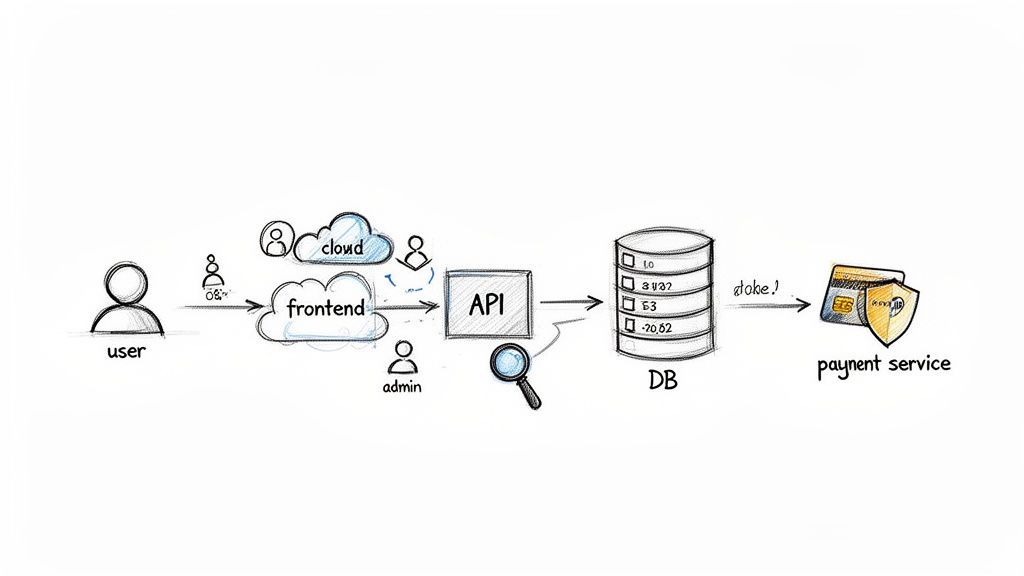
With your key assets listed, the next job is to figure out how data moves through your system. You don't need fancy software for this. A whiteboard sketch or a simple diagram in a tool like Miro is perfect. Just draw out the main components of your application and connect them with arrows to show the data flows.
Let's take a user password reset flow as an example:
- Frontend: The user types in their email and hits "Reset Password."
- API/Backend: An edge function gets the request and then calls a database function.
- Database: The
request_password_resetRPC checks if the email is valid, creates a unique token, and saves it in thepassword_resetstable. - Third-Party Service: Your backend then makes an API call to a mail service (like Postmark) to send the reset link to the user.
Visualising the journey like this immediately highlights potential weak points. What if someone could call that RPC directly, bypassing the frontend checks? What if the reset token is easy to guess? This simple map becomes your playbook for creating targeted, effective test cases.
Threat modelling forces you to ask much better questions. Instead of the vague, "Is my app secure?", you start asking things like, "How would someone steal user data from the
profilestable?" or "Could an unauthenticated user call myprocess_paymentfunction?" This specificity is the key to finding real vulnerabilities.
By combining your list of critical assets with a clear data flow diagram, you've built a practical threat model. This isn't some static document that will sit on a shelf gathering dust. It's a living, breathing map that guides your entire security testing strategy, from writing RLS policies to automating checks in your CI/CD pipeline. It makes sure you’re not just testing for the sake of it, but are actively defending what matters most.
Finding Critical Flaws in Your Backend
Alright, with your application's crown jewels mapped out, it's time to roll up our sleeves and start hunting for real vulnerabilities. This is where we move from theory to practice, actively probing your backend services like Supabase and Firebase for common, yet often devastating, weak spots.
We're going to focus on three of the most damaging types of flaws I see in modern applications. These aren't just obscure risks you read about in textbooks; they're the kind of practical misconfigurations that attackers are actively searching for every single day. For each one, we'll walk through how to test for it by hand and how a tool like AuditYour.App can make the whole process faster and more reliable.
Probing Row Level Security Policies
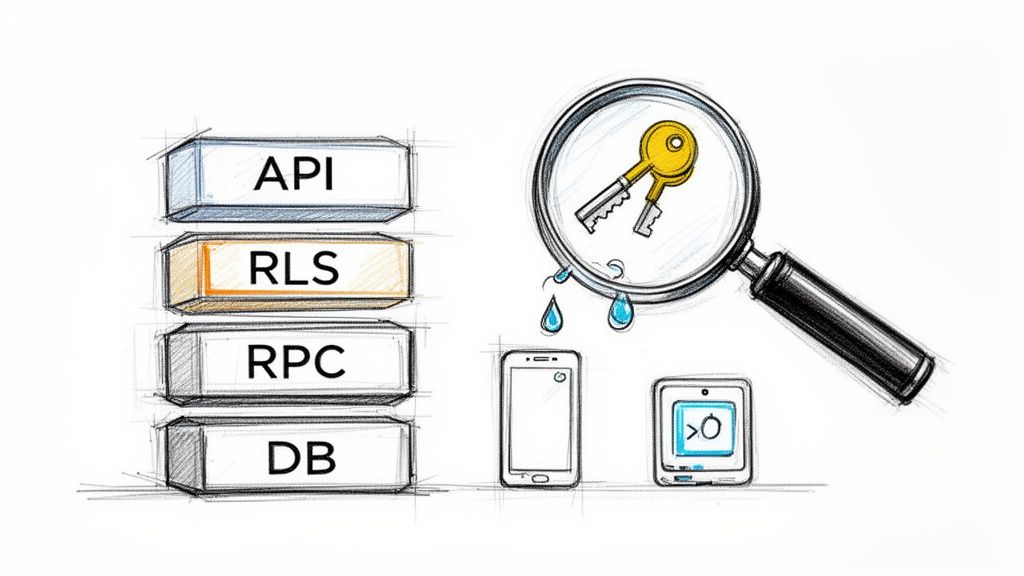
In Supabase, Row Level Security (RLS) is your first and most important line of defence for data protection. Get it right, and you can sleep soundly knowing users can only access what's theirs. But even a tiny mistake in that SQL logic can blow the doors wide open.
The test here is beautifully simple: can one user see or change another user's data?
-
The Manual Way: Log in as a standard user—let's call them User A. Grab an API client and start making direct requests for data belonging to User B. Can you fetch User B's details from the
profilestable? Can you modify theirdocuments? If the answer is yes to any of these, your RLS is fundamentally broken. -
The Automated Approach: This is where tooling really proves its worth. An automated scanner can connect to your database, map out every RLS-protected table, and then systematically hammer away at each policy. It intelligently simulates different user roles and access patterns, uncovering edge cases you'd likely miss, like how a policy handles a
NULLuser ID or a complexJOIN.
This isn't just a hypothetical problem. Recent statistics show that one-third (35%) of UK SMEs have been hit by a cyber incident. What's truly sobering is that 28% of UK SMEs admit a single successful attack could be a business-ending event. Breaches exploiting these exact kinds of vulnerabilities are a huge part of the problem, with malware and ransomware making up 51% of all cyber insurance claims.
Investigating Remote Procedure Calls
Remote Procedure Calls (RPCs), or database functions, are incredibly useful for centralising your business logic. The danger comes when these functions are accidentally exposed, allowing any user—sometimes even unauthenticated ones—to trigger them.
Imagine you have an RPC called delete_user_account(). If that function isn't properly secured, an attacker could write a simple script to loop through every user ID and wipe your entire user base.
At its core, testing RPC security is about finding out which functions are exposed through the public API schema and checking if they actually perform proper authorisation checks before they run.
To start, get a list of all your custom RPCs. For each one, use an API client to try and call it directly without any authentication. Then, try again while logged in as a basic, low-privilege user. If a sensitive function runs in either scenario, you've found a critical vulnerability.
Hunting for Leaked Secrets and API Keys
This is easily one of the most common and dangerous vulnerabilities out there. It often happens when a developer hardcodes a secret—an API key, a database password, or a service role key—directly into the frontend JavaScript or a mobile app's code. Once that code is published, the secret is out in the open for anyone to find.
A leaked Supabase service_role_key is the jackpot for an attacker. It's the skeleton key to your entire backend, giving them full administrative access and bypassing every single RLS policy you've written. You can read more about the serious risks of a service role key exposure and how to protect against it.
How do you find these leaked keys?
- For Web Apps: Open up your browser's developer tools and start digging through the JavaScript files. Search the code for strings that look like keys or for common keywords like
supabaseKey,anon, orservice_role. - For Mobile Apps: This gets a bit more involved. You'll need to decompile the application package (the
.apkon Android or.ipaon iOS) and then search through all the unpacked files for those same hardcoded strings.
This manual process is tedious and easy to get wrong. A tool like AuditYour.App automates this completely. It scans your website's URL or mobile app binary in just a few seconds, using pattern matching to spot known key formats for services like Supabase, Stripe, AWS, and many others. It turns hours of manual searching into a quick, repeatable check in your security testing workflow.
Going Deeper with Dynamic and Logic Fuzzing
Finding a sketchy-looking Row Level Security policy is a good start, but let's be honest—a list of potential issues often gets buried in the backlog. To get your team to actually prioritise a fix, you need cold, hard proof that a vulnerability can be exploited. This is where we need to roll up our sleeves and get into more advanced security vulnerability testing.
Dynamic and logic fuzzing takes you a step beyond just looking at the code. It actively tries to break your security controls in real-time. Think of it as the difference between inspecting a lock and actually trying to pick it. Instead of just reading an RLS policy, fuzzing hammers it with a barrage of weird and unexpected inputs to see if it cracks under pressure.
This approach is fantastic for cutting through the noise. It helps eliminate false positives and shows you the real-world impact of a flaw. When you can demonstrate exactly how User A can mess with User B's data, the conversation about fixing it becomes a whole lot shorter.
The Power of RLS Logic Fuzzing
Row Level Security is an incredible feature, but its entire strength rests on the SQL logic being absolutely correct. A tiny mistake—like a mishandled NULL user_id or a wonky join—can blow a massive hole in your security. RLS logic fuzzing is a technique built specifically to hunt down these subtle but critical errors.
So, how does it work? It systematically creates different attack scenarios and throws them at your policies.
- User Role Simulation: It will try to access data as different people. What can an unauthenticated
anonuser see? What about a standard logged-in user? - Input Permutations: The fuzzer gets creative, generating all sorts of inputs to probe for weak spots. For instance, it'll try to read and write data belonging to another user, testing every policy on every single table.
- Edge Case Analysis: It has a knack for finding common tripwires, like policies that forget to check for
NULLvalues or those that can be sidestepped if a user tinkers with their JWT claims.
The real magic of fuzzing is that it doesn’t just flag a "potentially weak" policy. It gives you a concrete, repeatable test case that proves, for example, "an anonymous user can successfully delete records from the
projectstable." That kind of certainty is what turns a low-priority ticket into an all-hands-on-deck emergency fix.
From Theory to Practical Exploitation
Let's walk through a real-world example. Your team has an RLS policy on a documents table meant to ensure users can only see documents they own. The SQL is something like (select auth.uid()) = owner_id. Looks secure enough on the surface, right?
A static analysis tool might even give it a pass. A logic fuzzer, however, will immediately start thinking like an attacker. What happens if it tries to insert a new document but sets the owner_id to someone else's ID? If your INSERT policy is missing or flawed, the fuzzer will successfully create a document owned by another user. Boom—a critical vulnerability proven.
This is exactly how a tool like AuditYour.App works. It doesn't just read your policies; it runs a whole suite of logic fuzzing tests against your live development database (in a safe, non-destructive way, of course). It attempts to read, update, insert, and delete data across user boundaries for every table you have. The end result is a clear report of what is actually exploitable. For a closer look at this, our guide on automated security scanning shows how you can build this into your daily workflow.
Why Fuzzing Is Essential for Modern Stacks
In today's fast-paced development cycles, manual security vulnerability testing just can't keep up. It's too slow and too easy to miss things. Fuzzing automates the exhaustive and error-prone job of dreaming up every possible way to break a security rule.
By weaving dynamic and logic fuzzing into your development process, you create a powerful safety net. It helps your team build more resilient applications from the get-go, catching the kind of complex logical flaws that are almost impossible to spot in a code review. It ensures your security controls aren't just there for show—they're genuinely effective at protecting your users' data.
Right, let's get this done. Discovering a vulnerability is just the start of the journey; the real work begins when you have to turn a raw scan report into something your development team can actually use. A long list of potential issues can be more overwhelming than helpful if there's no clear path forward.
The goal here is to move from simply finding a problem to fixing it properly. It's about empowering your developers to not just patch a hole, but to understand why it was a hole in the first place. That’s how you build more secure applications in the long run.
This isn't just a "nice-to-have" anymore. Security is becoming non-negotiable, especially when you look at the numbers. A staggering 74% of large UK organisations have identified a breach or attack recently. What's more, things are speeding up, with 57% of all business-critical incidents in the UK happening in just the last 18 months. The financial fallout is massive, with the average UK cyber incident costing £2.5 million to recover from. No wonder more companies are finally investing in proper vulnerability detection. You can dig into these UK security trends to get the full picture.
Verifying and Prioritising Your Findings
Let's be clear: not all vulnerabilities are created equal. The very first thing you need to do after any security scan is figure out what's real and what actually matters. A static check might flag a Row Level Security (RLS) policy as "potentially weak," but you need to prove it's genuinely exploitable.
This is where your threat model comes back into play. You have to ask the hard questions to understand the real-world risk:
- What’s the actual impact? Does this flaw expose sensitive customer data, or is it just a minor bug on an internal-only feature?
- How easy is it to exploit? Does an attacker need to be a logged-in, paying user, or can any random visitor on the internet trigger it?
- What’s the blast radius? Could this one vulnerability lead to a full system takeover, or is the damage completely contained?
Answering these helps you prioritise what to fix first. A leaky RLS policy on your users table is a five-alarm fire and should jump straight to the top of the backlog. A minor misconfiguration in a sandboxed test environment can probably wait.
A finding is just data. An exploitable finding is a call to action. Your team's time is precious, so focus your energy on the vulnerabilities that pose a clear and present danger to your application and its users.
Practical Fixes Your Team Can Use
Once you know what needs fixing, it's time to get it done. Generic advice like "fix your RLS" is useless. Your developers need specific, actionable guidance they can implement immediately. This is where providing clear remediation patterns, complete with code examples, is absolutely invaluable.
Hardening RLS Policies in Supabase
One of the most common RLS mistakes I see is when policies only check for read access (SELECT) but completely forget to lock down write operations (INSERT, UPDATE, DELETE). An attacker can have a field day with this, modifying or deleting data they should never be able to touch.
Here's a classic example of how to patch a leaky UPDATE policy on a profiles table:
-- BEFORE - Leaky policy only checking for SELECT CREATE POLICY "Users can view their own profile." ON profiles FOR SELECT USING ( auth.uid() = id );
-- AFTER - Hardened policy securing UPDATE operations
CREATE POLICY "Users can update their own profile."
ON profiles FOR UPDATE
USING ( auth.uid() = id )
WITH CHECK ( auth.uid() = id );
That WITH CHECK clause is the hero here. For any write operation, it forces the database to re-verify that the new or updated row still meets the policy's conditions. This simple addition stops a user from slyly changing their id to someone else's.
Managing Secrets Securely
Hardcoded secrets are a ticking time bomb. The second a developer commits an API key to your codebase, you have to assume it's compromised. The only real solution is to get secrets out of your code entirely.
The industry-standard way to handle this is with environment variables.
- For Local Development: Use a
.env.localfile. Crucially, make sure this file is added to your.gitignoreso it never gets committed. - For Production/Staging: Use your hosting provider's secret management system. Whether it's Vercel Environment Variables or GitHub Secrets, these tools inject the values securely at build time or runtime.
This simple practice ensures your sensitive keys are never exposed in your client-side code, shutting down one of the most common—and most dangerous—attack vectors out there.
Weaving Security into Your CI/CD Pipeline
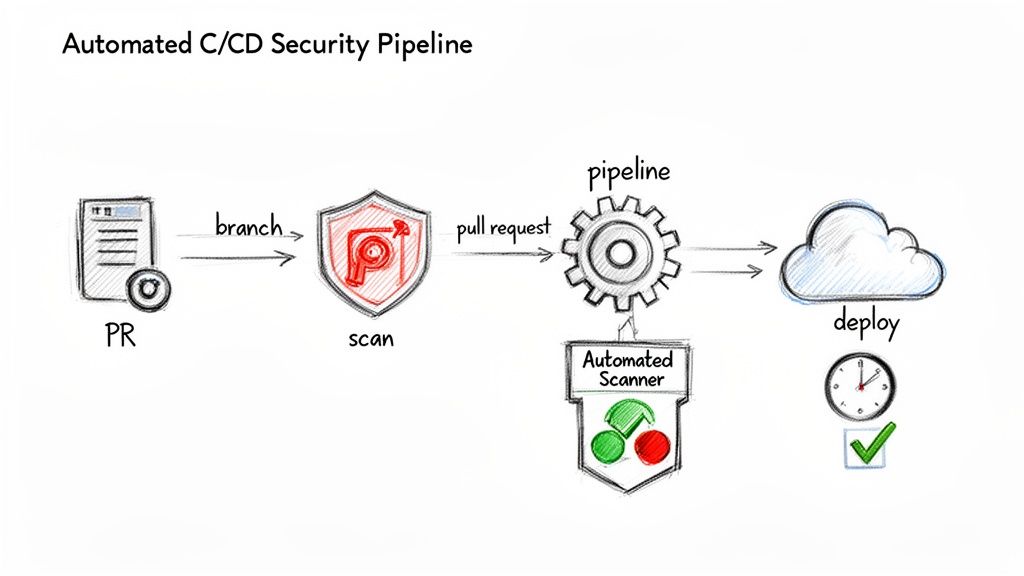
In any modern development workflow, trying to rely on manual security checks just doesn't cut it. It’s a surefire way to fall behind. They're too slow, happen too infrequently, and simply can't keep pace with a team that's constantly shipping code. This brings us to the final, crucial piece of the puzzle: automation.
When you integrate security vulnerability testing directly into your Continuous Integration and Continuous Delivery (CI/CD) pipeline, you’re not just adding another step; you're fundamentally changing how security is handled. It stops being a last-minute chore and becomes an organic part of every single code change.
Shifting Security to the Left
You’ll often hear this called "shifting security left," which really just means doing security checks much earlier in the development process. Instead of waiting for a quarterly audit to tell you what’s broken, you catch vulnerabilities moments after they’re introduced. The advantages here are massive:
- Spotting Flaws Early: You can identify vulnerabilities directly in pull requests, long before they get merged into the main branch or ever touch a production server.
- Slashing Remediation Costs: It's always cheaper and faster to fix a bug when it's fresh. A developer can patch a leaky RLS policy in minutes while the code is still on their mind, not weeks later when the context is lost.
- Empowering Developers: It gives immediate, actionable feedback, helping developers learn secure coding practices as they go and fostering a much stronger security-first mindset across the team.
This automated safety net lets your team keep shipping features quickly. You can move forward with confidence, knowing a consistent security baseline is being enforced without creating a frustrating bottleneck. For a deeper look at this, our article on continuous penetration testing explains how this constant vigilance can transform a company's security posture.
The real goal of CI/CD integration isn’t to replace security experts. It’s about automating the repetitive, predictable checks to free up your team’s brainpower for tackling complex business logic flaws—the kind of stuff automated scanners just can't find.
A Practical Look at GitHub Actions
Getting this set up is probably more straightforward than you think. With a tool like AuditYour.App, you can spin up a GitHub Actions workflow that automatically kicks off a scan on every new pull request. The workflow file could be as simple as this:
name: Security Scan on PR
on: pull_request: branches: [ main ]
jobs: security-scan: runs-on: ubuntu-latest steps: - name: Run AuditYour.App Scan uses: audityour-app/github-action@v1 with: project-url: ${{ secrets.STAGING_PROJECT_URL }} api-key: ${{ secrets.AUDITYOURAPP_API_KEY }} fail-on-vulnerability: true
This bit of YAML tells GitHub to run a scan against your staging environment using a secret API key. That fail-on-vulnerability: true line is the real key; it instructs the pipeline to fail the check if any serious vulnerabilities are found. This automatically blocks the pull request from being merged until the issues are fixed, creating a powerful quality gate that enforces your security standards on every single commit.
Got Questions About Vulnerability Testing? We've Got Answers
Let's tackle some of the most common questions teams have when they're getting a proper security testing programme off the ground.
How Often Should We Be Running These Tests?
If you’re running a continuous delivery setup, the answer is simple: testing should be part of every single build. Integrating security scans directly into your CI/CD pipeline means you get feedback the moment a change is pushed, not weeks later.
Beyond that, it's wise to schedule a deeper, more comprehensive scan at least quarterly. You'll also want to trigger a full scan anytime you make a significant change to your app's architecture. For continuous monitoring, a service like AuditYour.App’s Continuous Guard can handle this for you, keeping an eye on things and alerting you in real-time.
What’s the Real Difference Between a Vulnerability Scan and a Penetration Test?
This is a really important distinction to grasp. A vulnerability scan is almost always an automated process. It uses tools to check your application against a massive list of known vulnerabilities and common security mistakes. Think of it as a wide-net approach, great for catching common issues quickly and regularly.
A penetration test (pen test), on the other hand, is a much more hands-on, creative, and often manual effort. A security expert will simulate a real-world attack, actively trying to break in and exploit weaknesses. They’re not just following a checklist; they’re thinking like an attacker to see how much damage could really be done.
Here’s a good analogy: a vulnerability scan checks to see if you left any doors or windows unlocked. A penetration test is when you hire a security professional to try and pick your locks, find a way through the roof, and see if they can disable the alarm.
Can a Small Team Actually Do All of This?
Yes, absolutely. You don't need a massive security department to make a real difference. The trick is to start smart and automate as much as you can.
Don't try to boil the ocean on day one. Kick things off with an automated tool to get an initial snapshot of your security posture. This will immediately highlight the most critical, high-impact vulnerabilities.
Fix those first. Once the big fires are out, you can start weaving automated scanning into your development pipeline. The aim here is steady, incremental improvement, not instant perfection. Modern security tools are built precisely for this reason—to give solo developers and small teams the power to build secure applications.
Ready to see what's lurking in your application? AuditYour.App finds critical vulnerabilities in Supabase, Firebase, and mobile apps before attackers do. Get your first scan results in minutes at https://audityour.app.
Scan your app for this vulnerability
AuditYourApp automatically detects security misconfigurations in Supabase and Firebase projects. Get actionable remediation in minutes.
Run Free Scan