
Think of static code analysis as an automated proofreader for your source code. It’s a tool that meticulously scans every line of your application before it ever runs. It isn’t looking for bugs that happen at runtime; instead, it's hunting for potential security flaws, style mistakes, and hidden problems lurking in the code itself.
Essentially, it acts as a proactive quality gate, helping you find and fix issues right at the source.
Why Should You Care About Static Code Analysis
Imagine you have a team of editors going over a novel. One editor might focus on spelling and grammar, another on plot holes, and a third on whether the formatting meets the publisher’s guidelines. Static code analysis does something very similar for your software, only it's automatic, relentless, and finishes the job in seconds.
This process is your first line of defence against common mistakes that can open the door to serious security breaches or just plain frustrating bugs.
The real magic is that this review happens before the code is even run, let alone merged into your main branch. This "shift left" approach to security and quality is a massive time and money saver. It's always cheaper and easier to fix a problem during development than it is to patch a live application after a customer has found a vulnerability.
The Core Benefits of Early Detection
Bringing static analysis into your daily workflow offers some immediate, tangible wins. It's not just about flagging errors; it’s about building better coding habits and creating a more robust application from day one.
Here’s what you stand to gain:
- A Stronger Security Posture: It automatically spots common security blunders like hardcoded API keys, insecure function calls, or misconfigurations—the low-hanging fruit that attackers love to find.
- Better Code Quality and Consistency: By enforcing coding standards across the board, it keeps your codebase clean, readable, and easy to maintain. This is a huge plus, especially when you're working in a team.
- Faster Development Cycles: Developers get feedback in real-time. They can make corrections on the spot without waiting for a manual code review, which helps speed everything up.
- Lower Costs: Finding issues early stops them from snowballing into complex, expensive messes that have to be fixed after your app is already deployed.
A Growing Practice in Modern Development
This proactive mindset is quickly becoming the norm. In the UK, the market for static code analysis software has been growing steadily, driven by a national push for stronger software security. This is especially true for the startups and indie hackers building on platforms like Supabase and Firebase who are increasingly targeted by cyber threats.
This trend is part of a wider picture, with the global market historically expanding at a compound annual growth rate (CAGR) of around 4.1%. If you're interested, you can explore further insights into these market trends to see where the industry is heading.
Static code analysis doesn't replace human developers or manual code reviews. It automates the tedious, repetitive checks, freeing up your team to focus on what really matters: solving tough problems, building great features, and getting the business logic right.
At the end of the day, adopting static code analysis is about switching from a reactive to a proactive approach. It gives developers the tools they need to write better, more secure code from the very first line, creating a solid foundation of quality that lasts the entire life of the application. It's a must-have tool for any modern development team.
2. Understanding the Different Types of Static Analysis Tools
Static code analysis isn’t a single, all-in-one tool. It’s better to think of it as an ecosystem of specialised "proofreaders," each examining your code through a different lens.
Imagine you're reviewing the blueprints for a new building. You wouldn’t rely on just one person for everything. You'd bring in a structural engineer, an electrician, and a building inspector—each an expert in their own right.
Building a robust security and quality process for your code works the same way. It requires layering different types of static analysis tools. Each one plays a distinct role, catching everything from critical security flaws to minor style inconsistencies. By understanding what each tool does best, you can build a comprehensive defence for your codebase.
The process is pretty straightforward: your source code is fed into an analysis engine, which then flags potential issues.
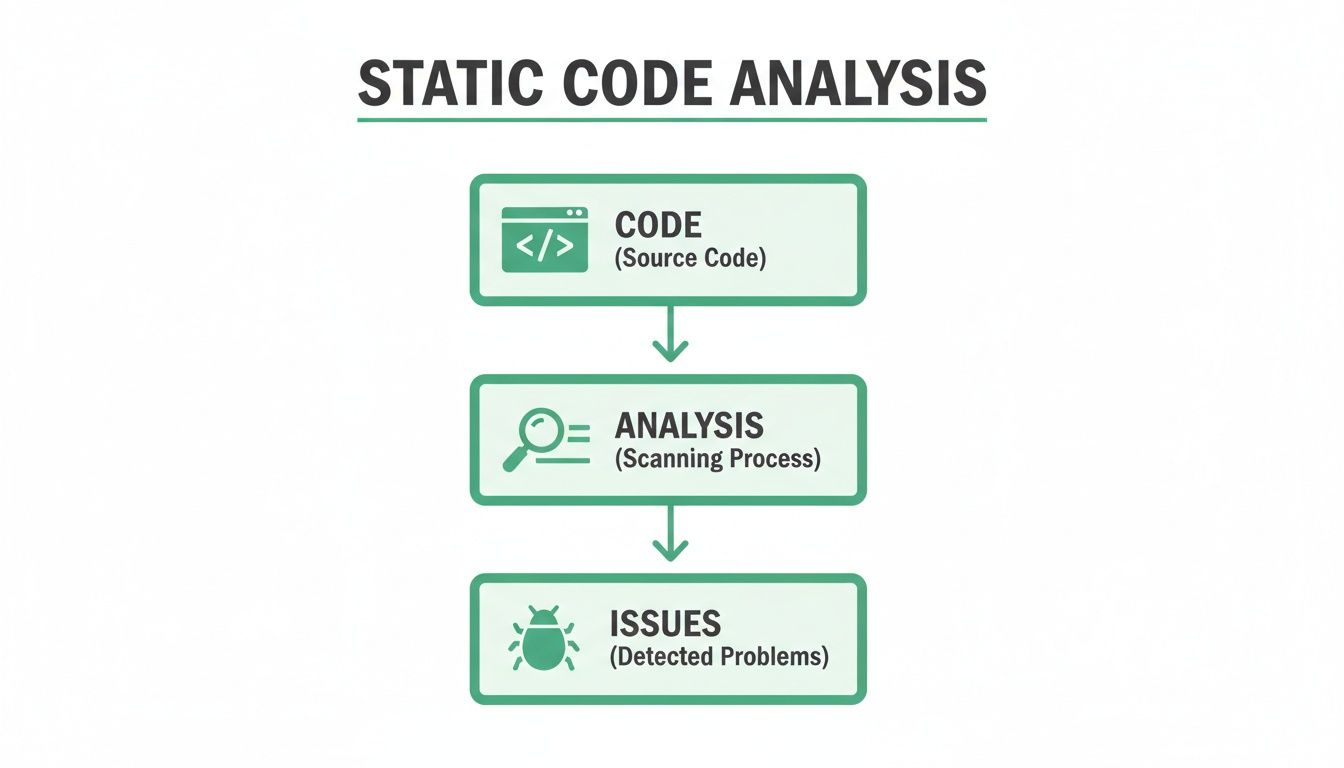
This workflow gets to the heart of static analysis: inspecting the code itself to proactively find and fix problems before the application is even built or run.
SAST: The Security Specialist
Static Application Security Testing (SAST) tools are your security specialists. Their primary mission is to hunt for vulnerabilities that could be exploited by attackers. A SAST tool acts like a digital bloodhound, meticulously scanning your code for well-known security anti-patterns and sniffing out weaknesses.
For instance, a SAST tool is purpose-built to spot dangerous issues like:
- SQL injection vulnerabilities where user input isn't properly sanitised.
- Cross-Site Scripting (XSS) flaws that could let attackers run malicious scripts in a user's browser.
- Insecure direct object references that might grant unauthorised access to data.
SAST is non-negotiable for any security-conscious development team. It provides that foundational layer of automated security checking, making sure common but critical vulnerabilities are caught early in the development lifecycle—long before they ever have a chance to reach production.
Linters: The Style and Quality Guides
If SAST tools are your security experts, then linters are your style and quality editors. Their main job is to enforce coding standards, ensure consistency, and catch programmatic errors. While not always security flaws, these issues can lead to bugs and make the code a nightmare to maintain.
Think of a linter as an editor with a very strict style manual, ensuring every developer on the team follows the same conventions. They focus on improving the overall health and readability of your codebase by flagging things such as:
- Code formatting inconsistencies, like incorrect indentation or spacing.
- Unused variables or functions that just create clutter and confusion.
- Use of deprecated functions, helping you keep dependencies up to date.
By integrating a linter, you ensure your codebase stays clean, predictable, and much easier for new team members to get up to speed with. That consistency is vital for a project's long-term health.
Secret Scanners: The Key Custodians
Finally, we have secret scanners—the dedicated security guards of your codebase. They have one highly specific but critically important job: finding hardcoded secrets like API keys, passwords, and private certificates. Accidentally committing a secret to a public repository is a surprisingly common mistake, and it can lead to an immediate and severe security breach.
These tools are designed to recognise the unique patterns of credentials for countless services, from AWS keys to database connection strings. They act as a crucial safety net, preventing your most sensitive information from ever being exposed.
To make things clearer, here’s a quick breakdown of how these tools differ in their focus.
Static Analysis Tool Comparison
| Tool Type | Primary Focus | Example Finding | | :--- | :--- | :--- | | SAST | Security Vulnerabilities | A function is vulnerable to SQL injection. | | Linter | Code Quality & Style | A variable is declared but never used. | | Secret Scanner | Hardcoded Credentials | An AWS access key is found in a config file. |
This specialised focus is what makes a combination of these tools so powerful. Secret scanners, in particular, are an essential part of any comprehensive static code analysis strategy, protecting the very keys to your kingdom.
What Static Analysis Actually Finds in Your Code
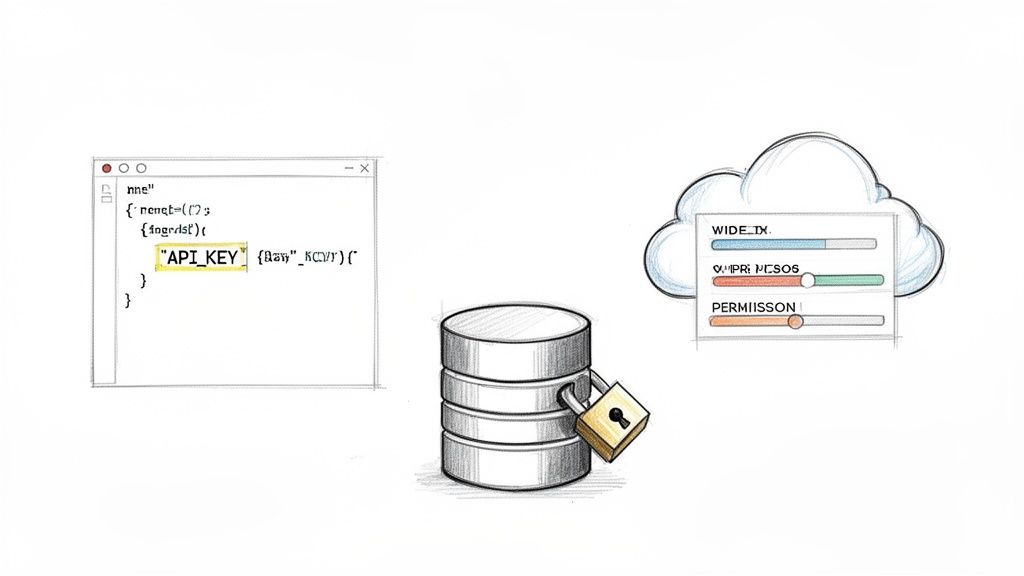
It’s one thing to talk about static analysis in theory, but where it really proves its worth is in the real world, catching the simple but costly mistakes that lead to breaches. Think of these tools as automated sentinels, working tirelessly in the background to spot critical slip-ups. They’re an essential safety net, designed to find high-impact vulnerabilities long before they ever see the light of day in a production environment.
So, let's get into the specifics. Here are some of the most dangerous, and surprisingly common, threats that a good static analysis setup will find and neutralise.
Hardcoded Secrets in Source Code
This is, without a doubt, one of the most frequent and damaging vulnerabilities out there. In the rush to get a feature working, a developer might paste a sensitive credential—an API key, a database password, a private token—directly into the source code. The moment that code is pushed to a repository like GitHub, even a private one, that secret is exposed.
This is where a specialised static code analysis tool called a secret scanner comes in. It’s built to recognise the distinct patterns of thousands of different keys and will immediately flag them as a high-priority issue.
The second a secret is committed to a Git repository, you have to assume it's compromised. Even if you delete it in a later commit, it’s still there in the repository's history, a ticking time bomb for anyone who gets access.
Catching these credentials before they’re committed is the whole game. If you’d like to explore this further, check out our guide on the risks of hardcoded API keys in mobile apps.
Dodgy Database Configurations and Rules
For anyone building on platforms like Supabase or Firebase, your security posture lives and dies by your configuration files. These platforms rely on powerful systems like Row Level Security (RLS) to manage who can see what data. But a tiny mistake in an RLS policy or a Firebase Security Rule can throw the doors wide open, exposing huge swathes of user data.
Static analysis tools can scan these configuration files for common blunders, such as:
- Overly Permissive Rules: Finding rules that give anonymous users broad read or write access. Think of a rule that lets anyone see every user's profile.
- Disabled RLS on Key Tables: Flagging sensitive tables where RLS is switched on but no actual policies are active, leaving the data completely unprotected.
- Logic Flaws: Spotting policies that look secure at a glance but have a logical gap that an attacker could easily wiggle through.
These automated checks act as a vital first line of defence for your data access logic, helping you build on a solid foundation.
Unprotected API Endpoints and Functions
Modern apps are built on serverless functions and remote procedure calls (RPCs). These endpoints are the gateways to your backend, and if they’re left unsecured, they become a prime target for attackers. Static analysis is great at examining your code to find functions that are missing proper authentication or authorisation checks.
For instance, a tool could flag a Supabase database function that’s publicly accessible but doesn't bother to check if the user calling it has permission to perform the action. An attacker could exploit this to delete data, give themselves admin rights, or simply read information they should never see.
By scanning for these gaps, static analysis helps ensure every one of your API endpoints is a locked door, not an open invitation.
Common Security Anti-Patterns
Beyond just finding secrets and misconfigurations, static analysis tools are brilliant at spotting well-known “anti-patterns”—common coding habits that are known to be insecure. These are the subtle but serious mistakes that often creep into a codebase over time.
A few frequent examples include:
- Using Weak Cryptography: Alerting you when your code uses outdated and broken encryption methods like MD5 or SHA-1.
- Susceptibility to Injection Attacks: Detecting code where user input is passed directly into a database query without being cleaned first—a classic recipe for SQL injection.
- Insecure Data Handling: Highlighting places where sensitive information, like passwords or personal details, is being logged in plain text.
Catching these issues automatically helps establish a baseline of good security hygiene across the whole team, raising the standard for every line of code you ship.
How to Weave Static Analysis Into Your Workflow
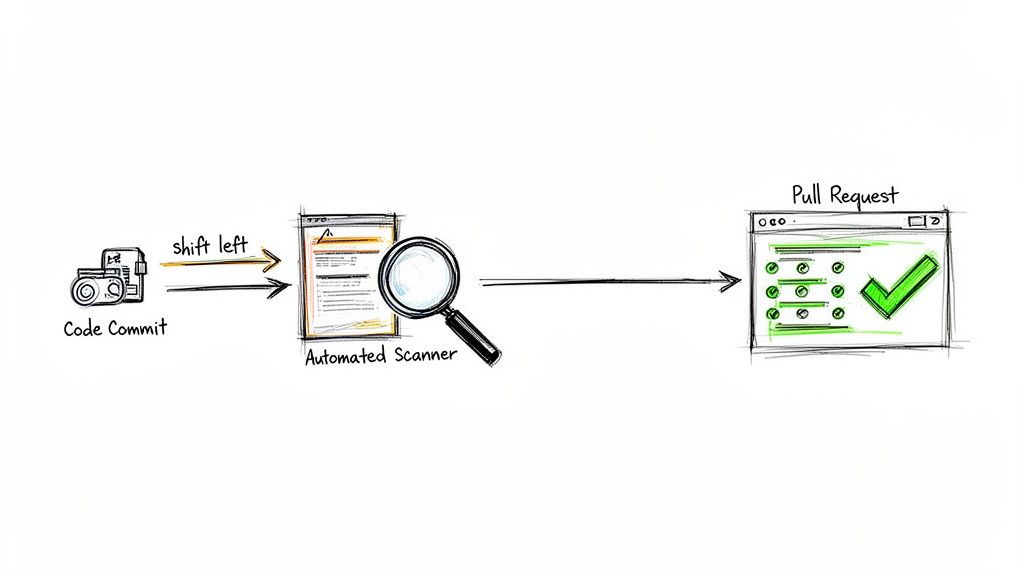 A powerful tool is only useful if you actually use it. If static analysis tools are treated as an afterthought—something you run occasionally when you remember—they can quickly feel like a chore. The real magic happens when you weave them so deeply into your development process that they become an invisible, indispensable part of your routine.
This is the core idea behind the "shift left" philosophy. Instead of waiting until the final, frantic stages of a project to think about security, you move those checks as early as possible. It’s about turning security from a dreaded final exam into a helpful study partner that’s with you from the very first line of code.
When you get this right, your team can move faster and with more confidence, knowing that a solid baseline of quality and security is always being maintained.
Automating Scans in Your CI/CD Pipeline
The best place to start is by making static code analysis an automatic step in your Continuous Integration/Continuous Deployment (CI/CD) pipeline. This is the central hub where your code gets built, tested, and prepared for release. Adding an analysis step here guarantees that no new code gets merged without being properly vetted.
Think about it: every time a developer submits a pull request (PR), a whole suite of automated scans kicks off. These tools act as an impartial code reviewer, flagging common vulnerabilities, spotting hardcoded secrets, and checking for style issues before a human even lays eyes on it.
This immediate feedback loop is incredibly powerful. Developers can fix issues on the spot while the code is still fresh in their minds. For a deeper look at this process, our automated security scanning guide covers more advanced strategies.
Setting Up a Practical Workflow
Getting this up and running isn't as daunting as it might sound. Most modern CI/CD platforms, like GitHub Actions, GitLab CI/CD, or Jenkins, have ready-made integrations for popular static analysis tools.
A typical workflow usually looks something like this:
- Developer Commits Code: A developer pushes their new work to a feature branch.
- Pull Request Is Created: They open a PR to merge their changes into the main codebase.
- CI Pipeline Triggers: This action automatically wakes up the CI pipeline.
- Static Analysis Scan Runs: As part of the pipeline, your chosen SAST, linter, and secret scanning tools get to work on the new code.
- Feedback Is Provided: The scan results are posted straight back to the pull request. You can configure it to just add comments for minor issues or to completely block the merge if something critical is found.
This automated loop ensures security checks are non-negotiable and consistently applied, removing the risk of human error or someone simply forgetting.
By making static analysis a required check for pull requests, you establish a quality gate that all code must pass. This prevents security debt from piling up and keeps your main branch clean and secure at all times.
Beyond the Pipeline: Local Developer Integration
While CI/CD integration is fantastic for enforcing standards across the whole team, the real shift left happens on the developer's own machine. The ultimate goal is to empower developers to run these scans before they even commit their code.
There are a couple of great ways to achieve this:
- IDE Plugins: Most popular tools offer plugins for editors like VS Code. These give you real-time feedback, highlighting potential problems directly in your code as you type. It’s like having a security-savvy spell-checker.
- Pre-Commit Hooks: These are simple scripts that run automatically every time a developer types
git commit. You can set up a hook to run a quick static analysis scan, which will block the commit entirely if it finds any show-stopping issues.
This local-first approach is massively efficient. It catches mistakes at the earliest possible moment, saving the time and compute resources of running a full CI pipeline only to find a simple typo. More importantly, it reframes security as a helpful coding assistant, not a robotic gatekeeper you have to face later on.
Static Analysis Isn't Enough: Here's What You're Missing
Think of static analysis as inspecting a building’s blueprints. It’s brilliant at finding structural flaws, obvious design mistakes, and code that doesn’t meet certain standards—all before a single brick is laid. It’s an absolutely essential first line of defence in your development process.
But here’s the catch: blueprints can’t tell you how a building will withstand a real-world storm. They don’t show how people will actually move through the hallways or use the facilities. In the same way, static analysis has its limits because it only ever sees your code at rest.
It has no idea how your application will behave when it’s live—processing real user data, handling traffic, and interacting with other services. This creates some serious blind spots where vulnerabilities love to hide, completely invisible to even the best static scanners.
The Problem with Analysing Inactive Code
Static analysis tools are masters of pattern recognition. They scan your source code and flag problems based on well-defined rules. But they can’t grasp the dynamic, unpredictable nature of a running application.
This is where the gaps in your security start to appear.
- Runtime Behaviour Blindness: A tool can confirm your code is written correctly, but it can’t predict how that code will execute. It's completely blind to things like memory leaks, race conditions, or performance issues that only surface when your app is under real stress.
- Complex Business Logic Flaws: Your app’s security is deeply tied to its business logic. A static tool can’t understand what a feature is supposed to do, so it can’t spot flaws where the logic itself is insecure, even if the code is technically perfect.
- Environmental Misconfigurations: Your app doesn't run in a vacuum. Its security depends on the cloud environment it’s deployed in, the database it connects to, and the third-party services it relies on. Static analysis can't see any of this, leaving a huge attack surface unchecked.
Relying only on static analysis is like locking your front door but leaving all the ground-floor windows wide open. To get a truly secure setup, you need another layer that tests your application the way it actually runs.
Introducing Dynamic Analysis: The Real-World Stress Test
This is where dynamic analysis comes in. If static analysis is the blueprint check, dynamic analysis is the real-world stress test.
Instead of just reading the source code, dynamic tools interact with your final, built application—just like a user or, more importantly, an attacker would. They actively probe your running app, sending it different kinds of data and watching what happens, looking for vulnerabilities that only appear during execution.
Dynamic analysis moves beyond "what the code says" to "what the application actually does." It’s about testing the final product in its live environment to find security holes that are impossible to spot by just reading code.
This approach is the perfect partner to static analysis, covering its blind spots and giving you a far more complete picture of your application's security.
How AuditYour.App Bridges the Gap
Traditional dynamic analysis can be a beast to set up and run, but modern tools are making it much more accessible. This is exactly where a platform like AuditYour.App fits in, offering a specialised type of dynamic analysis designed for modern tech stacks like Supabase and Firebase.
It goes beyond static checks to actively test your security rules and configurations in a real-world scenario.
For instance, a static tool might read your Supabase Row Level Security (RLS) policy and give it the all-clear because the syntax is correct. But it can't tell you if a clever combination of queries could bypass that policy and leak sensitive data.
AuditYour.App tackles this head-on with RLS logic fuzzing. It basically acts like an automated penetration tester, constantly trying to read and write data to see if a data leak is not just possible, but actually exploitable.
This approach gives you concrete proof of a vulnerability, cutting through the noise of false positives that can sometimes plague static tools. It uncovers critical issues that static analysis is guaranteed to miss, such as:
- Leaky RLS Policies: Pinpointing the exact queries that let unauthorised users access private data.
- Unprotected Database Functions (RPCs): Discovering live endpoints that are missing proper authorisation checks, allowing anyone to execute them.
- Real-world Data Exposure: Proving that a combination of security rules and application logic leads to a tangible data breach.
By embedding foundational static code analysis in your CI/CD pipeline and then adding these kinds of dynamic checks, you build a truly layered security strategy. To learn more about this approach, see how you can integrate security throughout the entire software development lifecycle. It's the logical next step for any team looking to move beyond basic code checks to genuine, real-world application security.
A Few Common Questions About Static Analysis
Even after getting a good grasp of what static analysis tools can do, some practical questions always pop up when it's time to actually use them. Let's tackle a few of the most common ones to help you get started and make the most of your setup.
Can Static Code Analysis Replace Manual Code Reviews?
Not a chance. Think of it as a powerful partner, not a replacement. Automated tools are fantastic at spotting well-known vulnerability patterns, common coding mistakes, and style inconsistencies across a massive codebase. They do the heavy lifting, which frees up your human reviewers to concentrate on what they do best.
A manual review is still irreplaceable for digging into business logic, questioning the architectural design, and finding those clever, novel security flaws that an automated scanner just wouldn't have the context to understand. A solid security posture needs both: automated static code analysis for wide coverage and manual reviews for depth and nuance.
How Do I Deal with All the False Positives?
The secret is to tune your tools. When you first run a static analysis tool, the sheer number of alerts can feel like you're drinking from a firehose. The trick is to start small and be deliberate about it.
Don't turn everything on at once. Begin by enabling only the high-confidence rules that flag critical issues. Most tools let you switch off checks that don't make sense for your particular tech stack or project. As you clear out the initial high-priority findings, you can gradually fine-tune the configuration and enable more rules. This approach keeps your team focused on real, actionable alerts instead of drowning in noise.
What's the Difference Between Static and Dynamic Analysis?
The main difference is how they look at your application.
Static analysis (SAST) is like a structural engineer studying a building's blueprints to find design flaws before construction even begins. It examines the source code without actually running it. Dynamic analysis (DAST), in contrast, is like a safety inspector testing the building after it's built—shaking the doors and testing the fire alarms to see how it behaves in the real world.
They're two sides of the same coin. They find different kinds of problems, which is why using them together gives you a much more complete picture of your security.
AuditYour.App goes a step further. While static analysis reads your blueprints, we test the live structure. Our platform dynamically fuzzes your Supabase or Firebase RLS policies and RPCs, safely uncovering real, exploitable data leaks that static analysis on its own simply can't see. Start your free scan and find what you're missing.
Scan your app for this vulnerability
AuditYourApp automatically detects security misconfigurations in Supabase and Firebase projects. Get actionable remediation in minutes.
Run Free Scan