A standard cloud security assessment just doesn't cut it for modern stacks like Supabase or Firebase. Honestly, it often misses the unique, high-stakes risks these platforms introduce. This isn't about ticking boxes on a generic checklist; it’s a deep dive into the specific ways your app's architecture could be leaking sensitive user data. We have to move beyond vague server checks and start pinpointing the vulnerabilities that actually matter to your stack.
Uncovering a Platform's Hidden Dangers
Let's get real for a moment: the classic "shared responsibility model" for cloud security feels a bit dated when you're talking about a Backend-as-a-Service (BaaS) setup. Sure, AWS or Google Cloud handles the underlying servers, but you are 100% responsible for configuring your Supabase or Firebase project securely. One tiny misstep can open the floodgates.
Think of it this way: your BaaS platform isn't just a host—it's an active, integral part of your application's logic. A poorly written Row Level Security (RLS) policy isn't a minor bug; it’s a gaping hole that could silently leak your entire user database. In the same way, an unprotected database function (RPC) can become a public API for an attacker to manipulate data or even take your service offline.
Beyond Generic Scans
Your average vulnerability scanner is great at spotting an outdated server package or a forgotten open port. The problem is, they are completely blind to these modern, platform-specific threats. They have no concept of your RLS logic or the authentication context required for your database functions. This is exactly the gap a specialised cloud security assessment is designed to fill.
It forces you to answer the tough questions that generic tools simply can't ask:
- Row Level Security: Are your RLS policies genuinely watertight, or can a cleverly crafted request sidestep them and access data it shouldn't?
- Database Functions: Are your RPCs properly locked down? Can you be certain only authenticated users with the right permissions are running them?
- Leaked Secrets: Have any API keys or service account credentials been accidentally hardcoded into your frontend code and pushed to a public repository?
When you see how many data breaches originate from simple cloud misconfigurations, you start to realise how critical this is. For teams building on BaaS platforms, this translates directly to exposed RLS rules or unprotected RPCs leading to disaster. A proactive assessment isn’t just a nice-to-have; it's your main line of defence against regulatory fines and reputation-damaging downtime, especially with new 'Secure-by-Default' regulations on the horizon. If you want to dig deeper, it's worth exploring the latest UK cloud computing market trends to see the bigger picture.
A proper assessment is basically an adversarial simulation. It doesn't just look for theoretical weaknesses; it actively tries to exploit them, just like a real attacker would, to prove whether a data leak is not just possible, but repeatable.
This shift in mindset is crucial. We're moving from a passive security posture to an active one, hunting for the specific vulnerabilities that haunt our chosen stack. We're not just scanning a server; we're auditing the very logic that stands between an attacker and our users' data.
Common Security Gaps in Supabase and Firebase
Before we dive into the how, it’s important to understand the what. From my experience, certain vulnerabilities pop up again and again in BaaS projects. These are the low-hanging fruit for attackers.
Here’s a quick-glance table of the most frequent and critical security weak points I've encountered in modern BaaS projects, along with the real-world consequences they can have.
| Vulnerability Type | Description | Potential Business Impact |
| :--- | :--- | :--- |
| Leaky RLS Policies | Row Level Security rules that fail to properly check for authenticated users (auth.uid()) or user roles, allowing unauthorised data access. | Mass user data exposure, privacy breaches (GDPR fines), loss of customer trust. |
| Unprotected RPCs | Database functions exposed via the API without proper authentication or authorisation checks, allowing anyone to execute them. | Data manipulation, unauthorised account modifications, service disruption, and potential for full database compromise. |
| Hardcoded Secrets | Embedding sensitive API keys, service_role keys, or other credentials directly in frontend code (e.g., JavaScript files). | Full administrative access to your backend, enabling an attacker to read, write, and delete all data. |
| Insecure Storage Rules | Overly permissive rules for object storage (like Firebase Storage or Supabase Storage) that allow public read/write access to sensitive files. | Leaking of private user files, such as invoices, profile pictures, or legal documents. |
| Missing Third-Party Auth Validation | Failing to properly verify tokens from third-party OAuth providers, potentially allowing account takeovers. | Attackers can impersonate users, leading to unauthorised access to personal data and application features. |
Seeing these laid out makes it clear: a single configuration error can unravel the security of your entire application. These aren't edge cases; they are common pitfalls that require a dedicated and informed assessment to uncover and fix.
Mapping Your Attack Surface with Automated Discovery
Before you can even think about securing your app, you have to know what you’re up against. The first real step in any cloud security assessment is all about reconnaissance—mapping out every single public-facing asset an attacker could poke and prod. For modern stacks, this is a lot more than just your website's URL.
We're talking about everything. Your marketing site, the web app itself, your mobile app bundles, and every backend endpoint your Supabase or Firebase project exposes. Trying to catalogue all of this by hand is a nightmare. It’s slow, tedious, and you’re almost guaranteed to miss something. And it’s always the forgotten staging environment or that old API endpoint that comes back to bite you.
This is exactly why automated discovery tools are no longer a nice-to-have; they’re essential. They do the heavy lifting, turning hours of manual digging into a quick, automated sweep.
Automating the Reconnaissance Process
The whole point of automated discovery is to get a complete inventory of your digital footprint, fast. Modern security scanners have moved past the old days of needing complex setups or agents installed on your servers. They work from the outside-in, giving you a true attacker's-eye view.
You just need to give it a starting point.
- A website URL: The scanner will crawl the site, pull apart the frontend JavaScript, and sniff out any connections to backend services like Firebase or Supabase.
- An
.ipaor.apkfile: For mobile apps, a good scanner can decompile the package to unearth hardcoded secrets, API endpoints, and other juicy configuration details.
From that one piece of information, the tool starts mapping your app's architecture almost instantly. It’ll find your project's public API keys (anon keys), figure out which database functions are exposed to the world, and even spot secrets you accidentally left in your frontend code.
This gives you an immediate, high-level picture of your exposed assets without needing any logins or backend access. It's the quickest way to get a baseline for your public security posture.
Think of automated discovery as getting a satellite map of your kingdom's borders. You can't plan your defences until you know where the walls are, where the gates are, and where you've left a forgotten tunnel wide open. This initial scan gives you that essential map.
To see how this works in practice, this flowchart shows how a specialised assessment drills down from a generic scan to focus on specific BaaS risks.
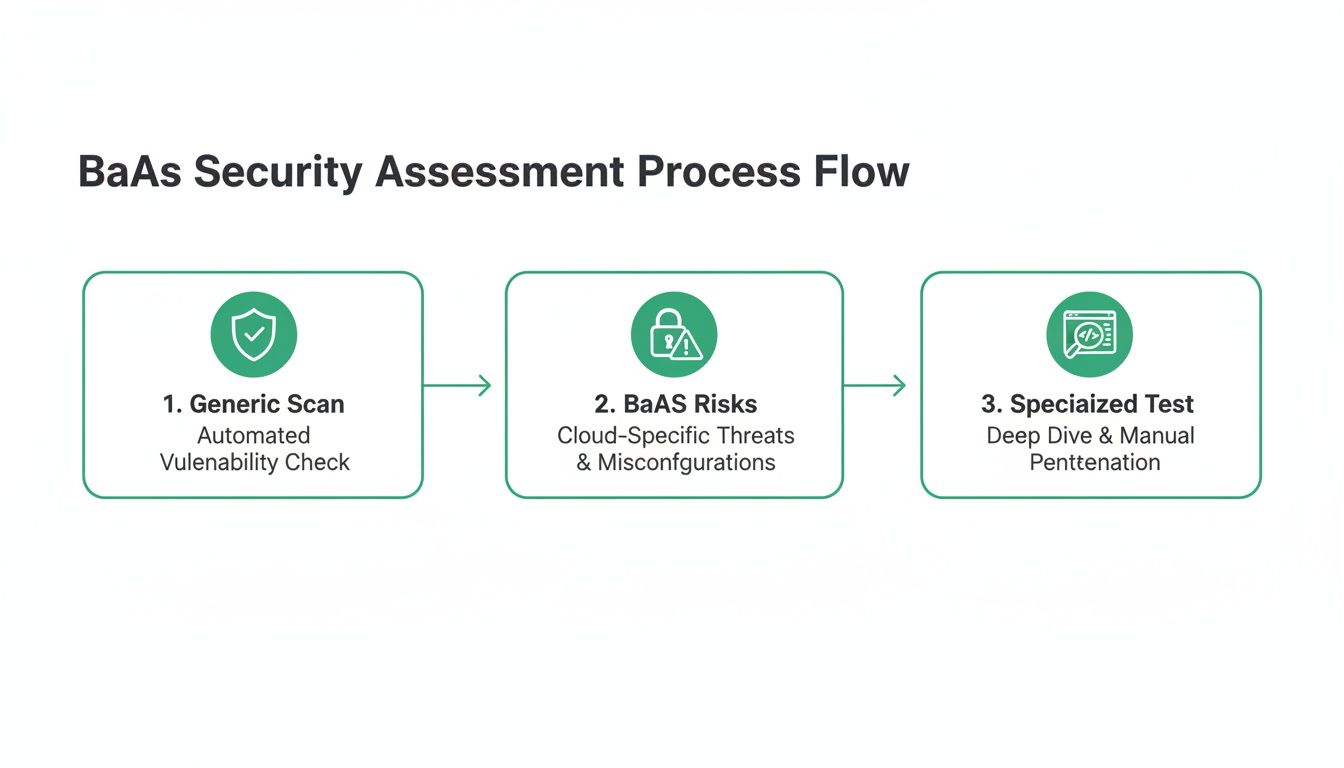
This process really highlights why you have to go deeper than surface-level checks. Generic tools will miss the platform-specific vulnerabilities that can really hurt you.
Uncovering What's Publicly Exposed
Once the discovery scan is done, you're left with a clear, unfiltered view of what an outsider sees. This is a critical moment in any serious cloud security assessment. The results are often surprising and tend to uncover high-risk exposures the team never knew they had.
Here’s what we typically find:
- Exposed
anonandservice_rolekeys: Finding these in public-facing code is a huge red flag. Theanonkey is meant to be public, sure, but its presence confirms your tech stack and helps attackers probe further. A leakedservice_rolekey, on the other hand, is game over—it’s full admin access to your entire backend. - Publicly Accessible Database Functions (RPCs): The scanner will list every RPC that can be called without any authentication. This is a massive risk if those functions handle anything sensitive.
- Hardcoded Credentials: It happens all the time. Developers accidentally leave third-party API keys for services like Stripe or SendGrid right in the client-side code.
Automated tools are so effective here because they analyse your app just like an attacker would—by picking apart the code that gets sent to a user's browser or phone. This is where the most critical secrets are accidentally left behind. If you want to dive deeper into how these scanners work, you can learn more in our automated security scanning guide.
By automating this crucial first step, you build a solid foundation for the rest of your assessment. You're no longer guessing what your attack surface looks like; you have a data-driven inventory. This allows you to focus your manual testing and fixes on what actually matters, saving time and tackling the biggest threats first.
Finding Leaks with Manual and Automated Checks
Alright, once you've mapped out your attack surface, it's time to go on the offensive. This is the part where a real cloud security assessment shifts from discovery to active testing. We're going to blend the methodical precision of manual checks with the raw speed of automation—a two-pronged attack designed to find genuine, exploitable vulnerabilities in your Supabase or Firebase backend.
The aim here isn't just to spot theoretical weaknesses. We need to actively prove they can lead to a data leak. That means thinking like an attacker and really probing the defences you've put in place.
Probing Row Level Security Policies
Row Level Security, or RLS, is arguably the single most critical security feature in any Supabase project. Get it right, and it’s a formidable gatekeeper. Get it wrong, and it’s a back door you’ve left wide open for anyone to walk through.
Manually testing RLS involves carefully crafting specific queries to push the boundaries of your policies. You have to put yourself in the shoes of different users: an unauthenticated visitor, a standard logged-in user, and an admin. What can each of them see? Can one user read another's private messages? Can they update a profile that isn't their own?
This hands-on approach is fantastic for understanding the logic behind your policies, but let's be honest, it's slow. This is precisely where automated tools deliver a massive advantage.
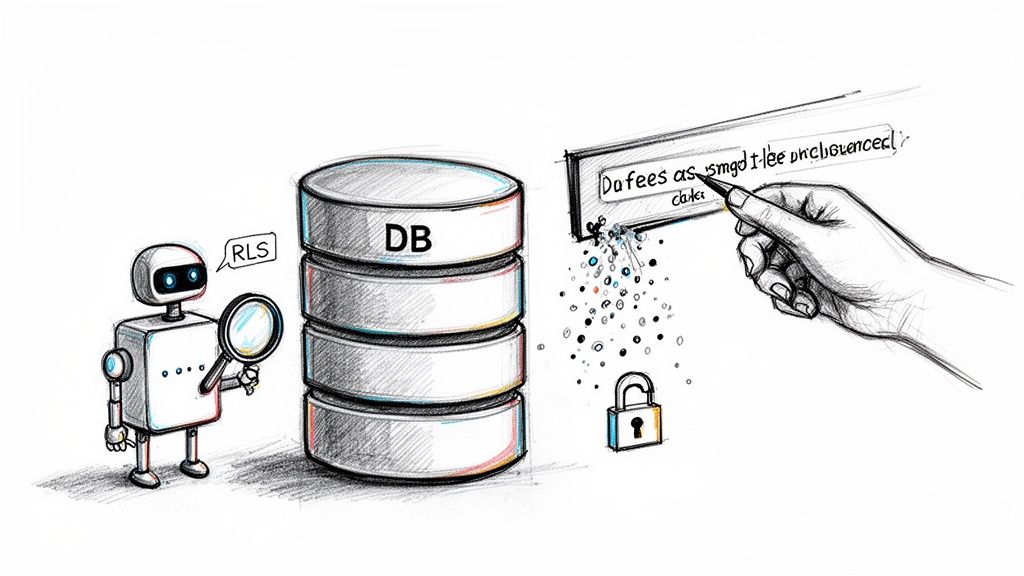
Modern scanners don't just check if RLS is switched on; they perform RLS fuzzing. This technique essentially throws thousands of mutated, unexpected queries at your tables to find those tricky edge cases where your policies crumble. It's the difference between checking if a door is locked and having a machine systematically test every possible key combination.
An automated RLS fuzzer can simulate complex scenarios a human might easily miss, giving you definitive proof of a read or write vulnerability. This helps you focus on fixing actual leaks, not just chasing down potential ones. For more practical advice on hardening your configurations, check out our guide on essential cloud security tips.
Testing for Unprotected Database Functions
Just like RLS, your database functions (RPCs) are another major attack vector. These functions often contain sensitive business logic—things like processing payments, deleting accounts, or tweaking user permissions. If they’re left unprotected, they effectively become a public API for anyone on the internet to call.
A manual check means listing out all your RPCs and painstakingly testing each one, both with and without authentication tokens. Can you call the delete_user_account function using someone else's ID? Can you grant yourself admin privileges? It’s necessary work, but it’s repetitive and incredibly prone to human error, especially as your application scales.
Automated RPC Fuzzing
This is where automation shines again. A good scanner can instantly identify every publicly exposed RPC and then systematically 'fuzz' them. It fires off a barrage of requests with different parameters, authenticated and unauthenticated, just to see what it can trigger.
- Identifies Public Functions: The tool immediately flags any RPC that doesn’t require authentication.
- Tests for Authorisation Flaws: It'll try to perform actions on behalf of other users to find broken access control.
- Proves Exploitability: It confirms which functions can be abused and how, giving you a clear, actionable path to remediation.
This kind of automated 'red team' approach is vital. Cybersecurity statistics show that a high percentage of businesses identify a breach or attack each year. For developers using Supabase and Firebase, misconfigurations are a leading cause of these incidents, often stemming from IAM flaws or insecure APIs that no-setup scans can flag instantly. Tools that fuzz RLS and hunt for RPC vulnerabilities are essential, especially when a significant number of breaches are tied to human error. You can discover more insights on UK cybersecurity trends at Heimdal Security.
Hunting for Leaked Keys and Hardcoded Secrets
The final piece of this puzzle is searching for credentials that should never have been made public in the first place. These are the skeleton keys to your kingdom.
A leaked service_role key is the ultimate prize for an attacker. It grants full, unrestricted administrative access to your entire backend, blowing past all RLS policies and security checks. I've seen these hardcoded in public code repositories, buried in mobile app bundles, and even lurking in old server configuration files.
Manual searches are possible, but they're incredibly inefficient. You'd have to comb through every line of your frontend code, examine your entire Git history commit by commit, and decompile your mobile apps. It’s a classic needle-in-a-haystack problem.
Automated scanners, on the other hand, are built for exactly this. They use pattern matching and entropy analysis to find strings that look like API keys and other secrets. They can scan:
- Public Websites: By analysing the JavaScript bundles served to visitors.
- Mobile App Packages: By decompiling
.apkand.ipafiles from the app stores. - Code Repositories: By integrating with platforms like GitHub to scan for secrets right in your codebase.
Finding a leaked service_role key is a critical-severity event. It demands immediate action: revoke the old key, issue a new one, and make absolutely sure it's stored securely as an environment variable—never in your code. By combining these manual and automated checks, your cloud security assessment becomes a powerful, evidence-based process for finding and fixing the vulnerabilities that truly matter.
Sorting Out the Mess: How to Prioritise and Fix What Matters
Finding security holes is one thing; fixing them is another game entirely. Staring at a long list of vulnerabilities can feel overwhelming, but with the right approach, you can turn that daunting report into a clear, actionable plan. The secret? Ruthless prioritisation based on real-world impact.
Let's be honest, not all findings are equal. A leaked service_role key is a full-blown crisis—it's the master key to your entire backend and needs to be dealt with immediately. On the other hand, a missing security header on your marketing blog is something you can probably get to next week. The goal is always to tackle the threats that pose the biggest, most immediate danger to your data and users first.
A Practical Triage Framework
Before you even think about writing a line of code, you need a system for sorting the signal from the noise. I've found that a simple, impact-based framework works best because it forces you to think like an attacker would. What would they go after first?
Here’s a straightforward way I categorise vulnerabilities in the wild:
- Critical: These are the "drop everything and fix this now" issues. Think leaked
service_rolekeys, wide-open database functions that can wipe out all user data, or RLS policies that expose every user's private information to the public. These are your five-alarm fires. - High: These are still very serious flaws. They could lead to major data exposure or account takeovers but might need a bit more work for an attacker to exploit. A good example is an RLS policy that leaks data for a specific user role or an unprotected RPC that lets someone mess with another user's account.
- Medium: These vulnerabilities usually represent a partial breakdown of your security. Maybe an RLS policy is leaking non-sensitive metadata, or you’ve got a hardcoded third-party API key in your client-side code that has very limited permissions. It's not great, but it's not the end of the world.
- Low: This category is mostly for best-practice violations that don't pose an immediate threat. Things like informational disclosures—revealing the exact version of a software package, for instance—fall in here.
This kind of triage ensures your team's precious time is spent on what actually matters, instead of getting bogged down fixing low-risk issues while a critical vulnerability sits unaddressed.
Actionable Fixes for Common BaaS Headaches
Once you’ve got your priorities straight, it's time to roll up your sleeves. The good news is that many of the most common—and most critical—vulnerabilities in platforms like Supabase and Firebase have fairly straightforward solutions. Here are a few concrete, ready-to-use snippets for problems I see all the time.
Patching a Leaky RLS Policy
One of the most frequent mistakes is writing Row Level Security (RLS) policies that forget to check if a user is even logged in. The fix is usually as simple as adding a check against the auth.uid() function.
The Problematic Policy: -- This policy lets absolutely anyone, authenticated or not, see user profiles. CREATE POLICY "Allow public read access to profiles" ON public.profiles FOR SELECT USING (true);
The Secure Fix: -- This policy locks it down so only the logged-in user can see their own profile. CREATE POLICY "Users can view their own profile" ON public.profiles FOR SELECT USING (auth.uid() = user_id); That one line changes everything. It takes the policy from a public free-for-all to a properly locked-down, user-specific rule. It’s a fundamental fix that prevents a huge class of data leaks.
Locking Down an Unprotected Database Function
Database functions, or RPCs, are another hotspot. If left unsecured, they effectively become public APIs that anyone can call. The solution is to wrap the function's logic in a check that verifies the caller is who they say they are.
The Insecure Function: -- Any user (or non-user!) can call this to update someone else's profile. CREATE OR REPLACE FUNCTION update_user_profile(user_id uuid, new_name text) RETURNS void AS $$ BEGIN UPDATE public.profiles SET full_name = new_name WHERE id = user_id; END; $$ LANGUAGE plpgsql;
The Secure Function:
-- Now, the function first checks if the caller is the user they're trying to update.
CREATE OR REPLACE FUNCTION update_user_profile(user_id uuid, new_name text)
RETURNS void AS $$
BEGIN
IF auth.uid() = user_id THEN
UPDATE public.profiles
SET full_name = new_name
WHERE id = user_id;
ELSE
RAISE EXCEPTION 'Unauthorized';
END IF;
END;
$$ LANGUAGE plpgsql SECURITY DEFINER;
By adding that IF auth.uid() = user_id check, you’re making sure that only the legitimate owner of an account can modify it. It's a simple guardrail that prevents a whole range of unauthorised actions.
Remember, the best fixes are the ones you don't have to make. While these code snippets are crucial for remediation, true security comes from building these checks into your development habits from day one. Make it a reflex, not a reaction.
Adopting this structured approach—prioritising by impact and applying targeted, proven fixes—is the most effective way to harden your application after a security assessment. It turns a list of findings into a list of actions, and vulnerabilities into secure, resilient code.
Weaving Security into Your Development Workflow
Think of a one-off security audit like a single visit to the doctor. It gives you a snapshot of your health at that moment, but it doesn't guarantee you'll stay healthy. Real, lasting security resilience comes from making it a daily habit, something that’s woven directly into the fabric of how you build software.
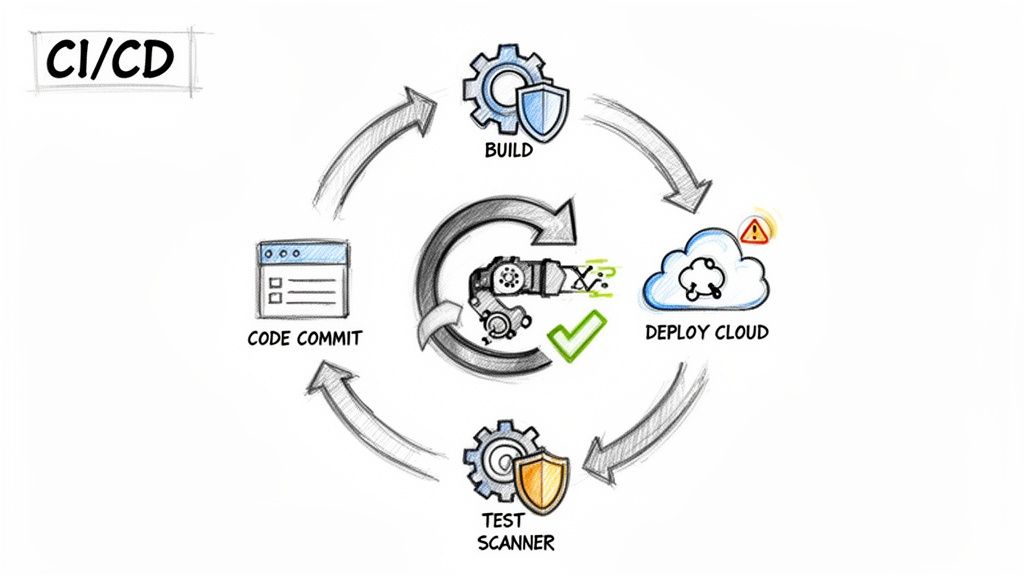
The aim here is to move security from a reactive, end-of-cycle scramble to a proactive, continuous process. It's about catching potential vulnerabilities before they ever see the light of day in your production environment. By embedding automated security scans right into your Continuous Integration and Continuous Deployment (CI/CD) pipeline, security stops being an afterthought and becomes part of your development rhythm. This whole approach is what the industry calls DevSecOps.
Getting Automated CI Scans Up and Running
Bringing security into your workflow is more straightforward than you might think, especially with tools like GitHub Actions or GitLab CI. The concept is simple: set up an automated scan to kick off every time a developer pushes code or opens a pull request. This creates a powerful, immediate feedback loop.
Instead of a nasty surprise weeks or months later, developers get alerted to a flaw within minutes of writing the code. This is a game-changer. They can fix it while the logic is still fresh in their minds, which drastically cuts down the time and effort needed for remediation.
You can configure your pipeline to handle a few key tasks automatically:
- Scan on every commit: Trigger a quick, lightweight scan on each push to a development branch.
- Run a deep scan on pull requests: When a pull request is raised to merge code into your main branch, run a much more thorough assessment.
- Alert on new findings: Set up notifications via Slack, email, or your project management tool to tell the team the moment a new vulnerability pops up.
This constant vigilance effectively turns your CI/CD pipeline into your first line of defence.
Blocking Insecure Code and Charting Your Progress
Alerts are great, but preventing insecure code from ever reaching production is the real goal. Most CI/CD platforms let you establish "quality gates"—checks that must pass before any code can be merged. You can set up your pipeline to flat-out block a merge if the security scan flags any high or critical-severity issues.
It might sound a bit strict, but it's one of the single most effective ways to maintain a high security standard across the board. It makes security a non-negotiable part of what it means for work to be "done."
Beyond just blocking risky code, this continuous scanning gives you a treasure trove of data over time. By tracking your security score, you can actually measure your team's improvement and spot recurring patterns or knowledge gaps.
A falling number of vulnerabilities isn't just a feel-good metric; it’s hard proof that you're building a stronger security culture. It shows that your developers are learning, adapting, and writing safer code right from the start.
This data-driven approach pulls security out of the realm of subjective opinion and turns it into a measurable pillar of your engineering quality.
Fostering a True Culture of Security
Ultimately, embedding a cloud security assessment into your workflow achieves something far more important than just catching bugs—it fundamentally shifts your team's mindset. When security checks are just another routine part of a developer's day, security becomes everyone's responsibility. The process of integrating security into the software development lifecycle is absolutely essential for building resilient applications.
This proactive stance frees up your team to ship new features faster and with genuine confidence. You're no longer stuck in that frustrating cycle of discovering and patching holes in production. Instead, you're systematically stamping them out before they can ever affect your users, building a more secure product one commit at a time.
Turning Your Findings into Actionable Reports
After all the heavy lifting of discovery, scanning, and fixing vulnerabilities, there's one crucial step left: documenting everything. It’s tempting to skip this part, but a well-crafted report is what turns a technical exercise into a tangible business asset. It's your proof of due diligence, a way to build trust with clients and stakeholders, and the official record of your security posture.
Frankly, without this documentation, most of your hard work remains invisible. For an agency, a detailed report is non-negotiable proof that you've secured your client's application. For a startup pitching to investors, it’s a clear signal that you’re mature enough to take data protection seriously—something that savvy VCs absolutely look for.
Building a Report That Actually Gets Read
A common mistake is creating a report that’s just a massive brain-dump of technical jargon. That kind of document is useless to everyone except the person who wrote it. The real trick is to structure your report so it speaks to different people, from the CEO to the junior developer tasked with implementing the fixes.
A solid security report should always include these key sections:
- Executive Summary: Start with a high-level, non-technical overview. What was the scope? What were the most critical findings? What’s the overall security grade? This is for the busy executive who might only read this one page.
- Scope and Methodology: Be specific. Clearly outline what you tested (e.g., the Supabase project ID, the exact mobile app version) and the techniques you used (automated scans, RLS fuzzing, manual RPC checks). This builds credibility.
- Detailed Findings: This is the core of the report. Each vulnerability needs its own entry with a clear title, a description of the real-world risk, a severity rating (Critical, High, Medium, Low), and concrete evidence like screenshots or code snippets.
- Proof of Remediation: Don’t just say you fixed it—prove it. After a vulnerability is patched, add evidence showing it's gone. This could be the updated RLS policy, a clean re-scan result, or a short video.
Structuring your report this way ensures everyone can quickly find the information they need, making it a living document rather than a file that gathers digital dust.
Why an Audit Certificate is Your Secret Weapon
Beyond the detailed report, a downloadable audit certificate can be an incredibly powerful tool. Think of it as the official, shareable summary of your security assessment. It’s a clean, simple document that declares your security status, providing instant proof that you’ve done your homework.
An audit certificate isn't just a piece of paper; it's a marketing and trust-building asset. You can feature it on your website, add it to your sales decks, and give it to partners to answer their security questions before they even have to ask.
This gives you a real competitive edge. Imagine a potential customer is weighing your service against a competitor's. If you can immediately produce a certificate from a recent, successful security audit, you’ve just moved security from a vague promise to a demonstrated commitment. It’s a simple but incredibly effective way to build trust.
Ultimately, reporting closes the loop on your security assessment. It’s how you prove that you not only found and fixed the holes but also established a robust process to keep your application and your users safe.
A proactive scan from AuditYour.App can give you the insights and documentation you need in minutes. Move beyond guesswork and get a clear, actionable report on your Supabase, Firebase, or mobile app's security posture today at https://audityour.app.
Scan your app for this vulnerability
AuditYourApp automatically detects security misconfigurations in Supabase and Firebase projects. Get actionable remediation in minutes.
Run Free Scan